
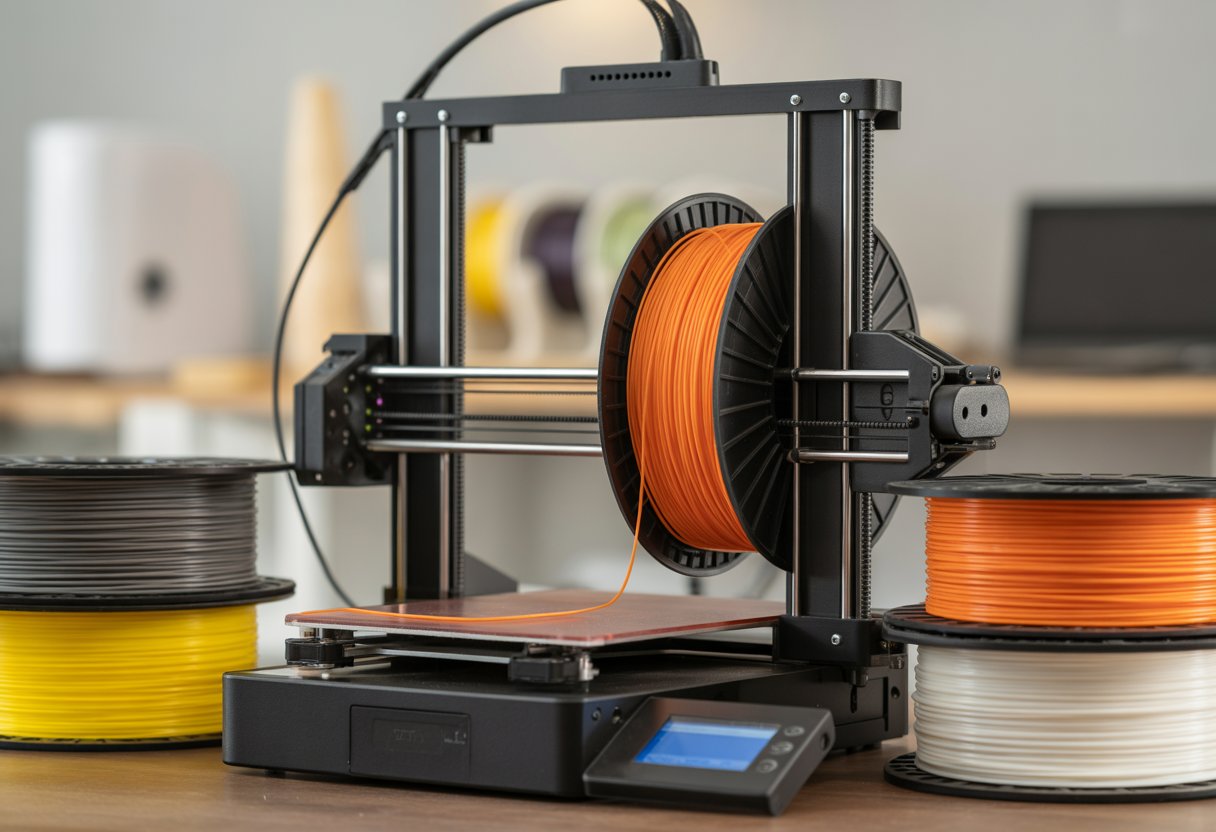
How long filament lasts depends on storage, but most spools stay usable for 6 months to 2 years. Heat, light, and wet air can ruin a spool fast. Even new filament can fail if you leave it out.
You will learn what shortens life, how to spot bad filament, and how to store it right.
Key Takeaways
- Most filament lasts longer with dry storage.
- Moisture causes brittle prints and clogs.
- Simple storage steps save money and time.
If you print flexible materials, see storage-friendly options in the flexible filaments collection.
How Long Does 3D Printer Filament Last?

3D printer filament does not last forever, but it can stay usable for a long time. How long it lasts depends on the filament type, how you store it, and how often you print.
Average Lifespan of Different Filament Types
Different 3D printing filament types last different lengths of time. Some handle air and moisture better than others.
Common filament lifespan estimates:
|
Filament Type |
Typical Lifespan |
|
PLA |
6–12 months |
|
ABS |
1–2 years |
|
PETG |
1–2 years |
|
Nylon |
6–12 months |
|
TPU |
1 year or more |
PLA absorbs moisture fast, so it degrades sooner. Nylon absorbs even more moisture and needs careful storage. ABS and PETG last longer and resist moisture better. These ranges assume average room air and no special storage.
Shelf Life of Unopened vs. Opened Spools
Unopened spools last much longer than opened ones. Manufacturers seal new filament with dry air to block moisture.
An unopened spool can stay usable for 1–2 years if kept cool and dry. Heat and sunlight can shorten that time.
Once you open a spool, air starts to affect it. Opened filament may show problems in a few weeks or months. You may hear popping sounds or see rough prints. Sealed bags, desiccant packs, and dry boxes help slow this process.
How Long Filament Lasts in Everyday Use
In real use, filament lifespan often depends on how fast you print. Many users get 50–100 hours of print time from a spool, depending on settings.
A 1 kg spool may last:
- About 6 days if you print nonstop
- Around 4–5 weeks at 30 hours per week
- Several months if you print once a week
Frequent printing keeps filament warm and dry, which can help. Long gaps between prints increase moisture risk. Drying wet filament can restore print quality for a short time.
For handling and maintenance best practices, explore, How to Change Filament Ender 3: Easy Step-by-Step Guide.
Factors That Affect Filament Lifespan

Filament does not last the same amount of time for everyone. The material you use, the air around it, and the place you store it all play a big role in how fast filament degradation happens.
Impact of Filament Material
The type of filament you use affects how long it stays in good shape. PLA and ABS often last 1–2 years when you store them well. PLA can turn brittle over time, while ABS handles age a bit better.
Some materials go bad faster. Nylon and PVA pull moisture from the air very fast and may degrade in 6–12 months. These filaments often need extra care.
High-quality filament usually lasts longer. Makers dry it better and seal it well at the factory. Cheap filament may already hold moisture, which speeds up wear. Even dry PLA can break down if the material quality is low.
Effects of Moisture and Humidity
Moisture causes the most filament damage. Most filaments absorb water from the air, even when you do not notice it. This leads to popping sounds, weak layers, and rough surfaces during prints.
High humidity speeds up filament degradation. Open spools in damp rooms can go bad in weeks. The outside of the filament often turns brittle first.
You can slow this damage with dry storage. Use sealed bags, silica packs, or a filament dryer. A dryer removes trapped moisture and can make old filament usable again. Dry filament feeds better and prints stronger parts.
Influence of Sunlight and Temperature
Sunlight harms filament over time. UV light breaks down plastic and lowers filament quality. Clear or light-colored filaments often show damage first.
Heat also causes problems. Warm rooms can soften filament and change its shape on the spool. This leads to feeding issues and uneven prints.
Cold storage works better, but avoid big temperature swings. Rapid changes cause stress in the material. Store filament in a cool, dark place to reduce the chance that your filament goes bad early.
For consistent extrusion over time, browse the FDM filament collection.
Common Signs Your Filament Has Gone Bad

Bad filament often shows clear problems while you print. You may see breaks, messy lines, weak layers, or trouble sticking to the bed.
Brittle or Snapping Filament
Brittle filament breaks easily when you bend it. You may hear sharp snaps as it feeds into the printer. This often happens when filament absorbs moisture from the air.
PLA shows this problem the most. Older spools also break more often, even if they look fine.
Watch for these signs:
- Filament snaps by hand
- Breaks during loading or printing
- Pieces fall off the spool
When filament turns brittle, prints fail early. Drying the spool may help, but deep damage often stays.
Nozzle Clogs and Uneven Extrusion
Bad filament can clog your nozzle. Moist filament turns water into steam inside the hot end. This causes popping sounds and rough flow.
You may see uneven extrusion. Lines look thick in one spot and thin in another. Gaps appear where plastic should flow.
Common clues:
- Clicking from the extruder
- Random pauses in flow
- Rough or bumpy walls
Nozzle clogs waste time and material. Cleaning the nozzle helps, but the real fix often starts with better filament.
Stringing and Stringy Prints
Stringing leaves thin hairs between parts of your print. Stringy prints look messy and weak. Moist filament causes this by oozing too much plastic.
You may see webs across gaps or inside holes. Retraction settings help, but they do not fix bad filament.
You may notice:
- Fine threads between moves
- Extra blobs on corners
- Sticky surfaces
Dry filament prints cleaner. When stringing gets worse over time, your spool likely absorbed moisture.
Under-Extrusion and Poor Bed Adhesion
Under-extrusion happens when not enough plastic comes out. Layers look thin and weak. You can see gaps between lines.
Poor bed adhesion also shows up early. The first layer lifts, curls, or slides during printing.
Clear warning signs:
- Faded or broken layers
- Prints detach mid-job
- Weak bottoms
Moist or degraded filament feeds poorly. This leads to under-extrusion and poor bed adhesion, even with good settings.
If you use specialty flexible plastics, check the thermoplastic elastomer filament collection.
Best Practices for Filament Storage
Good filament storage keeps your prints clean and strong. You need to block moisture, control heat, and protect spools from air and dust. Simple tools and habits can stop wet filament problems before they start.
Airtight Containers and Desiccants
Airtight containers work well for daily filament storage. You can use plastic bins with tight lids or vacuum bags made for filament. These options keep moist air out and slow down wear.
Add desiccants inside each container. Silica gel packs are cheap and easy to find. They pull moisture from the air and help keep filament dry.
- Use one large pack or several small ones
- Replace or dry them when they change color
- Keep each spool sealed when not in use
This setup works best for PLA, PETG, and ABS. It also helps reduce stringing and brittle prints.
Filament Dry Boxes and Dryer Use
A filament dry box holds spools at low humidity. Many boxes include a gauge, so you can see moisture levels at a glance. Some let you print directly from the box, which helps in damp rooms.
A filament dryer adds heat to remove water from wet filament. You should use one when prints pop, hiss, or look rough.
Common drying times:
|
Filament |
Temp |
Time |
|
PLA |
45°C |
4–6 hrs |
|
PETG |
65°C |
4–6 hrs |
|
Nylon |
70°C |
6–12 hrs |
Drying filament can bring old spools back to life.
Optimal Storage Conditions
Store filament in a cool, dry, and dark place. Heat and sunlight can weaken plastic over time. A closet or cabinet works better than a garage.
Aim for humidity below 20–30%. Use a small hygrometer to track it. High moisture leads to wet filament, even in sealed rooms.
Keep spools clean and off the floor. Dust can clog your nozzle and ruin prints. Label each spool with the open date, so you know its age.
To understand material compatibility and aging, read our guide: Do All 3D Printers Use the Same Filament?
How to Revive and Maintain Filament Quality
You can fix many filament problems with simple care. Drying wet filament and doing quick checks help you keep strong prints and steady results.
Drying Out Wet Filament
Wet filament causes pops, stringing, and weak layers. You can fix this by drying filament before you print. A filament dryer works best because it holds a steady, safe heat.
If you do not have a dryer, use an oven with care. Keep the heat low and steady. Place the spool on a clean tray.
Common drying temps
|
Filament |
Temp |
Time |
|
PLA |
40–45°C |
4–6 hours |
|
PETG |
50°C |
4–6 hours |
|
ABS |
55°C |
4–6 hours |
|
Nylon |
70°C |
6–8 hours |
Let the spool cool in a dry place. Store it right away to stop moisture from coming back. Use sealed bags and fresh desiccant.
Routine Filament Checks and Maintenance
Check filament quality before each print. Look for cracks, bends, or rough spots. Brittle filament snaps when you bend it by hand.
Wipe dust from the filament with a soft cloth as it feeds. Dust can clog the nozzle and hurt print quality. Keep spools off the floor and away from sun and heat.
Use smart storage every day:
- Seal spools in bags or boxes
- Add desiccant packs
- Label spools with open dates
- Keep them cool and dark
For everyday printing materials, explore the plastic filament collection.
Wrap Up
Understanding how long filament lasts helps you avoid failed prints and wasted material. Most filament can last for years if stored properly in a cool, dry, and sealed environment.
Moisture, heat, and UV light are the biggest causes of filament degradation. PLA and PETG are fairly forgiving, while Nylon and TPU require stricter moisture control.
Using airtight containers, desiccant, and humidity monitoring greatly extends filament life. With good storage habits, even opened spools can stay printable long after purchase.
To reduce waste and maximize value, check out: How to Make Money With a 3D Printer: 7 Ideas.
Frequently Asked Questions
Is there an expiration date on 3D printer filament?
Most 3D printer filament does not have a hard expiration date. Makers may print a date on the box, but it acts more like a guide. If you keep a sealed spool dry, it can last for years. Open spools age faster.
Can filament go bad if not used for a while?
Yes, filament can go bad when it sits out too long. It pulls water from the air over time. Wet filament can turn brittle or print rough.
What's the best way to store filament to keep it fresh?
Store filament in an airtight bag or box. Add silica gel or another drying pack. Keep it away from heat and sunlight. A cool, dry room works best.
Do different types of filament have different shelf lives?
Yes, the type matters a lot. PLA often lasts 1–2 years when stored well. ABS and PETG can last 2–3 years. Nylon absorbs water fast and may last only months if left open.
How can you tell if filament is too old to use?
Old filament may snap when you bend it. You may also hear popping sounds while printing. Bad prints show gaps, bubbles, or rough lines. These signs often point to moisture damage.
What happens if you print with expired filament?
Wet or old filament can cause weak prints. Layers may not stick well. You may see stringing, blobs, or uneven surfaces.