
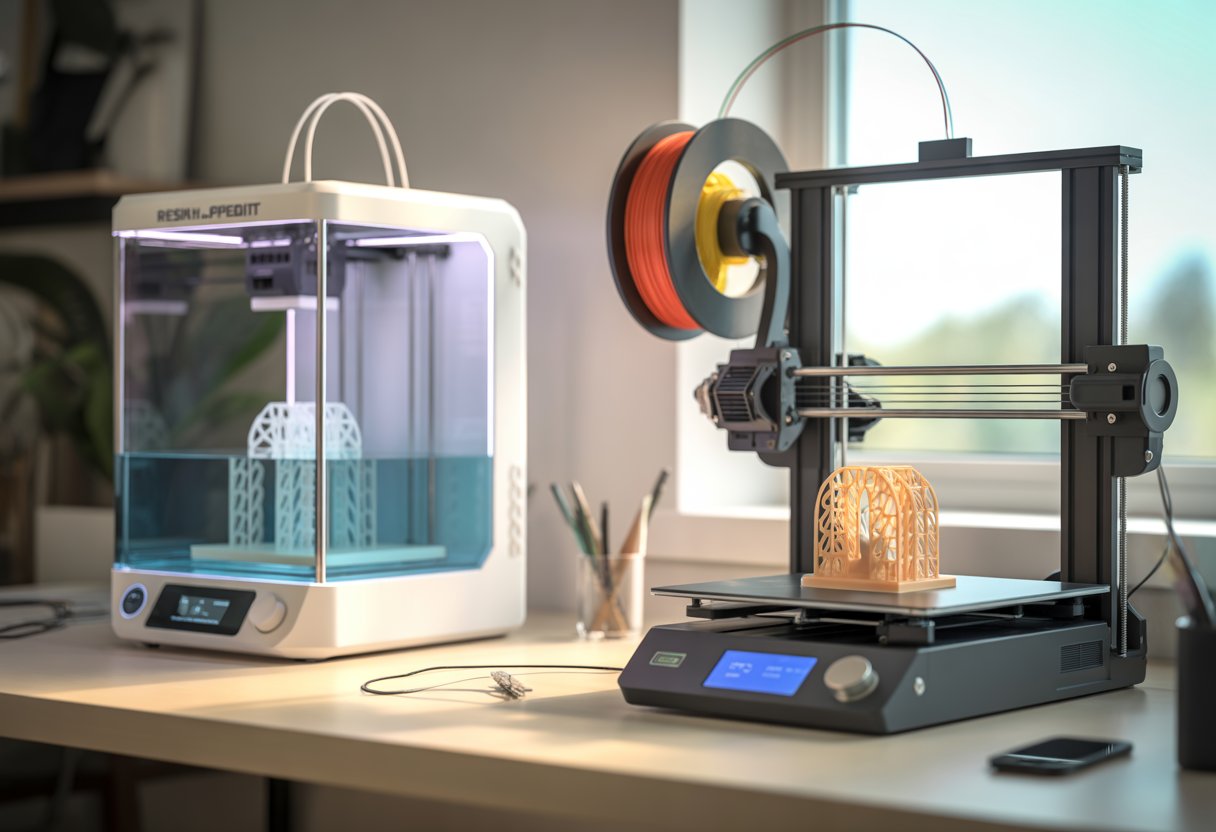
Choosing between a resin printer and a filament printer can feel tricky, but it doesn’t have to be. If you want smooth, detailed models, go with resin; if you need strong, practical parts, filament is the better fit.
Both types bring different strengths, so what you plan to make matters most. You’ll notice resin printers shine in fine detail and surface finish.
Filament printers win in durability and cost. Each has trade-offs in speed, mess, and setup.
Key Takeaways
- Resin gives finer detail, while filament offers stronger prints.
- Cost, speed, and cleanup differ between the two types.
- Picking the right printer depends on what you want to create—read on to learn more.
Explore the FDM Filament Collection for dependable, strong prints that make filament printing simple and efficient.
Resin Printer vs Filament: Core Differences

You can make 3D objects in two main ways—using liquid resin or melted plastic filament.
Each method has its own process, materials, and results that affect detail, strength, and cost.
How Resin 3D Printing Works
A resin 3D printer uses liquid resin that hardens when hit by UV light. The most common types are SLA (stereolithography) and DLP (digital light processing) printers.
You pour the resin into a tank, and the printer builds your model layer by layer. Each layer is cured by UV light, which turns the liquid into solid plastic. This process gives you very fine detail and smooth surfaces.
It’s great for small models, jewelry, or dental parts. But resin printing can be messy and needs careful cleaning and post-curing under UV light.
Resin also gives off fumes, so you need good ventilation. It costs more than filament printing, but it’s ideal when you need precision and surface quality.
Learn how resin printing works in depth by reading our guide: A Deep Dive into Resin 3D Printers and Printing Process.
How Filament 3D Printing Works
A filament 3D printer, often called an FDM (fused deposition modeling) printer, melts plastic filament and lays it down one layer at a time. The printer pushes the filament through a heated nozzle that moves along set paths.
When the plastic cools, it hardens and sticks to the layer below. You can use many filament types like PLA, ABS, or PETG, each with different strength and flexibility.
FDM printers are easier to use and cheaper to maintain than resin printers. They’re good for larger parts, prototypes, and functional pieces.
You don’t need much cleanup, and the parts are usually stronger but less detailed than resin prints.
Key Differences in Printing Process
|
Feature |
Resin Printing (SLA/DLP) |
Filament Printing (FDM) |
|
Material |
Liquid photopolymer resin |
Solid thermoplastic filament |
|
Detail |
Very high, smooth finish |
Moderate, visible layer lines |
|
Strength |
Brittle but precise |
Stronger, more durable |
|
Cleanup |
Needs washing and curing |
Minimal cleanup |
|
Safety |
Fumes, gloves needed |
Safer for home use |
|
Cost |
Higher materials and upkeep |
Lower overall cost |
Discover how to choose the right material for your printer by reading: Do All 3D Printers Use the Same Filament?
Print Quality and Performance

You get different results from resin and filament 3D printers depending on what you care about most—fine detail, smoothness, strength, or speed. Each type has its own limits and strengths that affect how your prints look and perform.
Detail and Surface Finish
Resin printers use liquid resin cured by light, which gives you very fine detail. You can print small models with tiny features like textures or facial details that look clean and sharp.
The surface feels smooth right off the printer, so you don’t need much sanding. Filament printers (FDM) melt plastic layers, which leaves visible lines.
You can smooth them with sanding or vapor finishing, but it takes extra work. For miniatures, jewelry, or dental parts, resin wins for detail and surface quality.
|
Printer Type |
Detail Level |
Surface Finish |
|
Resin (SLA/MSLA) |
Very high |
Smooth |
|
Filament (FDM) |
Moderate |
Layer lines visible |
Durability and Strength
Filament prints are stronger and more flexible. Materials like PLA, PETG, and ABS handle stress, heat, and impact better than standard resin. That makes filament better for tools, brackets, and functional parts.
Resin prints can be brittle, especially with standard resins. But engineering resins improve strength and can match some filament materials. Still, resin parts often break under bending or dropping.
If you need a model that lasts or holds weight, go with filament. If you need fine detail for display, resin works better.
Layer Height and Resolution
Layer height affects how smooth and detailed your print looks. Resin printers can go as low as 0.025 mm per layer, while most filament printers work best around 0.1–0.2 mm.
Smaller layers mean smoother surfaces but longer print times.
Filament printers can’t match resin’s resolution because melted plastic doesn’t form as precisely. But you can adjust layer height to balance detail and speed.
|
Setting |
Resin Printer |
Filament Printer |
|
Typical Layer Height |
0.025–0.05 mm |
0.1–0.3 mm |
|
Best For |
Miniatures, models |
Functional parts |
Print Speed and Workflow
Filament printers usually print faster, especially for large parts. You load a spool, press start, and watch it build layer by layer. Cleanup is simple—just remove supports and maybe sand a few spots.
Resin printing takes longer because each layer cures with light. After printing, you must wash and cure the model, which adds time. Build volume is also smaller, so big parts take multiple prints.
If you want quick, strong parts, filament printing is easier. If you prefer smooth, detailed models and don’t mind extra steps, resin printing gives better visual results.
Achieve stunning detail and flexibility with the Flexible Resin 3D Printing Collection.
Materials, Costs, and Practical Considerations
You’ll notice big differences between resin and filament printing in what materials they use, how much they cost, and how easy they are to handle. Each type has its own strengths, from material toughness to print quality and safety needs.
Material Types and Properties
Filament 3D printing uses plastic strands like PLA, ABS, PETG, and nylon. These materials are strong and flexible enough for everyday or functional parts.
PLA is the easiest to print and works well for beginners using printers like the Flashforge Adventurer 5M.
Resin 3D printing uses liquid photopolymer resin that hardens under UV light. Resin prints come out smoother and more detailed than filament prints. However, they can be more brittle and less heat-resistant.
If you need fine detail, resin is better. If you need strength and durability, filament materials are usually the smarter choice.
The right option depends on what you want to make—models, tools, or parts that must handle stress.
If you prefer smooth, easy-to-use materials, browse the PLA Filament for 3D Printing Collection.
Cost of Equipment and Consumables
Filament printers are usually cheaper to buy and run. A good filament 3D printer costs less upfront, and filament spools are affordable.
A kilogram of PLA filament often costs between $20–$30, and you can print many medium-sized items from one spool. Resin printers cost more per print because the resin itself is pricier, usually $35–$70 per liter.
You also need extra supplies like gloves, cleaning alcohol, and UV curing tools. These add to your running costs.
If you print often or make large parts, filament printing is more budget-friendly. Resin printing fits better for smaller, detailed projects where surface finish matters more than size.
Ease of Use and Safety
Filament printing is easier to learn. You load the filament, slice your model in software like Cura, and start printing. The process is cleaner and safer since most filaments don’t release strong fumes, especially PLA.
Resin printing takes more care. You handle liquid resin, which can irritate skin and gives off a chemical smell. You need gloves, good ventilation, and a space where spills are easy to clean.
Filament printers, such as the Flashforge Adventurer 5M, are great for classrooms or homes. Resin printers fit better in workshops or garages where you can control airflow and handle materials safely.
Maintenance and Post-Processing
Filament printers need regular nozzle cleaning, bed leveling, and checking for clogs. These tasks are simple and take only a few minutes.
Most prints come off the bed ready to use after light sanding or painting. Resin printers need more cleanup.
You must wash prints in isopropyl alcohol, cure them under UV light, and safely dispose of leftover resin. The build plate and resin vat also need frequent cleaning to keep prints consistent.
Maintenance time is shorter with filament printing, but resin printing rewards you with sharper details if you don’t mind the extra steps.
For better design outcomes, check out our article on How to Design 3D Prints Like a Pro.
Choosing the Right Printer for Your Needs
Your choice depends on what you want to make, how much detail you need, and how much time and money you want to spend. Each printer type fits different goals, materials, and skill levels.
Best Uses for Resin Printers
Resin printers work best when you need fine details and smooth surfaces. They use liquid resin cured by light to make small, precise parts.
You often see them used for miniatures, jewelry, dental models, and prototypes that need tight tolerances.
Because resin prints can capture tiny features, they’re popular for designers and artists who want clean finishes.
However, resin printing can get messy. You need gloves, masks, and a well-ventilated area since the resin and cleaning chemicals can irritate your skin.
Resin printers also require more post-processing. You’ll need to wash and cure prints under UV light. This adds time, but it gives a strong and smooth final result.
|
Pros |
Cons |
|
High detail and smooth finish |
Messy cleanup |
|
Ideal for small parts |
Resin and tools can be costly |
|
Great for art and models |
Slower and less beginner-friendly |
Best Uses for Filament Printers
Filament printers, or FDM printers, melt plastic filament to build parts layer by layer. They’re better for large, strong, and functional items like brackets, tools, or enclosures.
You can use materials like PLA, PETG, or ABS, depending on your project’s strength and flexibility needs. These printers are easier to use and maintain. You can find budget-friendly models that work right out of the box.
Filament printing also offers a wide range of colors and materials, giving you flexibility for both hobby and practical projects. The surface may look rougher than resin prints, but you can sand or paint it if needed.
|
Pros |
Cons |
|
Affordable and easy to use |
Less detailed |
|
Great for large parts |
Visible layer lines |
|
Wide material choices |
Needs good bed leveling |
Beginner 3D Printing Tips
Start simple. Choose a basic printer and print small objects first to learn how your machine works. Keep your workspace clean and organized to avoid print failures.
Use leveling tools and adhesive beds to help your prints stick well. Watch the first few layers closely—most problems start there. Learn to slice models properly using free software like Cura or PrusaSlicer.
Adjust print speed and temperature slowly instead of changing many settings at once. Keep extra filament or resin on hand, and store materials in a dry place.
For advanced performance and stiffness, try the Carbon Fiber Filament Collection.
Bottom line
When comparing resin printer vs filament, the best choice depends on your goals. Resin printers deliver exceptional detail, smooth surfaces, and are ideal for miniatures or prototypes requiring precision. Filament printers, on the other hand, offer durability, lower costs, and faster production for functional parts or larger models.
Each technology has unique strengths—resin for fine detail, filament for practicality and strength. Assess your printing needs, budget, and desired finish before deciding.
For high-quality, reliable materials that enhance your 3D printing results, check out Siraya Tech’s filaments and experience superior performance.
Understand how different filaments perform in our article: 3D Filament Types: Complete Guide for Every 3D Project.
Frequently Asked Questions
What's the difference between resin and filament 3D printers, anyway?
A resin printer uses liquid resin that hardens when hit by light. A filament printer melts plastic string (filament) and builds layers.
Resin printers make smoother, finer parts. Filament printers make bigger, stronger parts faster and with less cleanup.
Is a resin printer better for detailed models compared to filament?
Yes, resin printers handle small details better. You’ll see smoother surfaces and sharper edges.
Filament printers can still make nice models, but you might notice layer lines or rougher finishes.
How much mess and fuss is there with resin printing versus filament?
Resin printing is messier. You deal with liquid resin, gloves, and cleaning tools. The resin also needs curing under UV light.
Filament printing is cleaner. You load the spool, print, and remove the part with little cleanup.
Can you talk about the cost differences between resin and filament printing?
Filament printers usually cost less to buy and run. Filament spools are cheaper and last longer.
Resin printers can be pricier upfront, and the resin bottles cost more per print. You also need extra supplies like gloves and cleaning alcohol.
Which one's gonna last longer, prints from a resin printer or a filament one?
Filament prints are usually tougher and hold up better for daily use. They handle stress and bending well.
Resin prints can be brittle, though some resins are stronger than others. They’re great for display models, not heavy use.
How hard is it to get started with resin printing if I've used filament printers before?
If you’ve used a filament printer, resin printing will feel different but not impossible. You’ll learn new steps for washing and curing prints.
It takes more care and setup. Once you get the hang of it, you can make very clean, detailed parts.
2 comments
John
This whole article is ai. It should be required to state this. Whoever runs this website, please shut it down and reconsider your life choices.
Leo
You should be embarrassed of using ai images. You directly work in the 3d printing market, seeing ai slop as the first images is frankly unacceptable.