
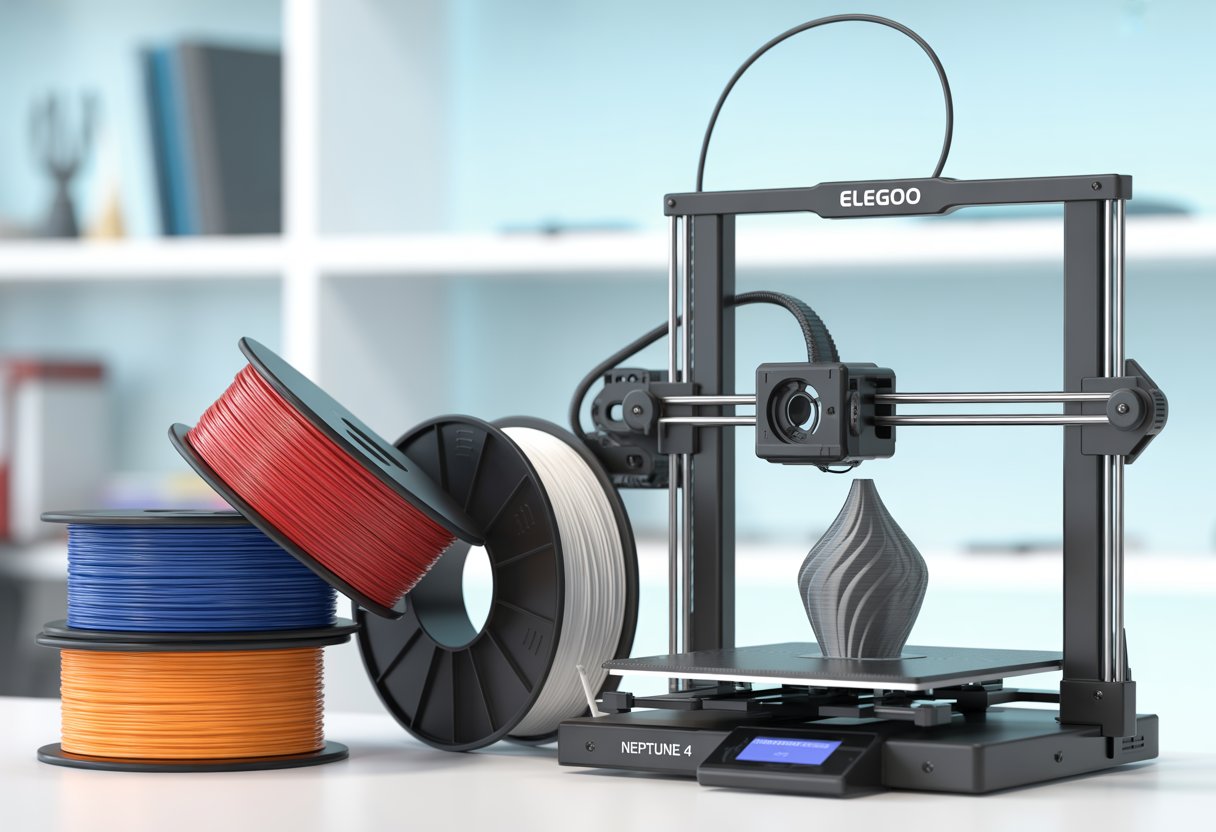
Best Filament for Elegoo Neptune 4 matters if you want clean prints without stress. You want filament that feeds smooth, sticks well, and handles fast speeds. Many users see better results when they switch from cheap rolls to trusted PLA blends.
PLA+ from brands like Elegoo works best for the Neptune 4 because it prints easy, holds layers well, and keeps quality high at fast speeds. You can also use rapid PLA, PETG, or TPU, but PLA+ stays the safest place to start.
Key Takeaways
- PLA+ gives the most reliable results.
- Good brands improve print quality fast.
- Simple tweaks help filament perform better.
Ready to upgrade to stronger, more durable prints? Check out Siraya Tech's PETG Filament for 3D Printing collection for materials that balance strength, flexibility, and ease of use on the Neptune 4.
What Makes Filament Compatibility Important for the Elegoo Neptune 4?

Filament choice affects print quality, speed, and how often prints fail. The Elegoo Neptune 4 and Neptune 4 Pro handle many materials, but each type behaves in a different way.
Material Properties and Extruder Compatibility
Each filament melts, flows, and cools in its own way. You need to match these traits to the Neptune 4’s direct drive extruder and hotend. Soft filaments like TPU bend easily, so the short filament path helps control jams. Hard filaments like PLA feed clean and print fast.
Heat also matters. PLA prints well at lower temps and works with the stock setup. ABS, ASA, and Nylon need higher heat and steady airflow control. Without an enclosure, you may see warping. The all-metal hotend on the Neptune 4 Pro handles higher temps better, which gives you more room to try tough materials.
Poor matches cause stringing, clogs, and weak layers. Good matches give smooth lines and strong parts.
Supported Filament Types
Elegoo lists many supported filament types, but results depend on setup and tuning. PLA works best for most users and gives clean prints with little effort. PETG adds strength but needs slower speeds and careful cooling.
Common options you can use:
- PLA / PLA+ – Easy, clean, and great for daily prints
- PETG – Stronger and flexible, but can string
- TPU – Soft and bendy, works well with direct drive
- ABS / ASA – Heat resistant, needs enclosure
- Nylon – Very strong, but needs high heat and dry storage
Off-brand filament often works fine. Quality matters more than the name. Wet or uneven filament causes bad prints on any printer.
Comparing Neptune 4 and Neptune 4 Pro
The Neptune 4 and Neptune 4 Pro share the same core design, but the Pro gives you more control. The Neptune 4 Pro uses an all-metal hotend and stronger frame parts. This helps with high-temp filaments and fast speeds.
Key differences that affect filament choice:
|
Feature |
Neptune 4 |
Neptune 4 Pro |
|
Hotend |
Standard |
All-metal |
|
High-temp filaments |
Limited |
Better support |
|
Frame stability |
Good |
Better |
|
TPU handling |
Good |
Good |
If you plan to stick with PLA and PETG, both work well. If you want ASA, Nylon, or faster printing, the Neptune 4 Pro gives you an edge.
PETG balances strength, ease of use, and durability better than most materials. Understand why it's a favorite for functional parts by reading: What Is PETG Filament: A Guide in 3D Printing Applications.
Top Filament Types for the Neptune 4
Your Neptune 4 works well with many common filaments. Each type brings clear strengths, limits, and setup needs that affect print quality and ease of use.
PLA Filament: Ease of Use and Reliability

PLA filament fits the Neptune 4 very well. You get clean prints with little tuning. It sticks to the bed easily and shows fine detail.
You can print PLA at low heat. This reduces warping and failed prints. Cooling fans help PLA look sharp on edges and corners.
PLA works best for models, tools, and home parts that stay indoors. It does not handle heat well.
Typical PLA settings
- Nozzle: 190–220°C
- Bed: 50–60°C
- Speed: Normal to fast
PLA works with almost any brand. Dry filament improves surface quality.
PETG Filament: Strength and Versatility
PETG filament gives you stronger parts than PLA. It bends a little instead of snapping. This helps with clips, holders, and light outdoor use.
PETG needs more heat. It can string if settings run too hot or too fast. Slow speeds and clean retraction help a lot.
The Neptune 4 hot end handles PETG without trouble. Bed adhesion works best with a clean surface.
Why choose PETG
- Better strength than PLA
- Light water and heat resistance
- Smooth, glossy finish
PETG resists chemicals better than PLA but still prints without an enclosure.
TPU Filament: Flexibility and Applications

TPU filament lets you print soft and flexible parts. You can make phone cases, feet, seals, and grips.
TPU needs slow and steady printing. Fast moves cause jams or rough layers. Direct drive on the Neptune 4 helps feed TPU smoothly.
You should dry TPU before use. Wet TPU prints with bubbles and weak layers.
TPU tips
- Nozzle: 210–230°C
- Speed: Slow
- Retraction: Low
Start with simple models. Once tuned, TPU prints come out strong and elastic.
ASA Filament: Outdoor Durability

Siraya Tech Fibreheart ASA-GF Filament
ASA filament works well for outdoor parts. It handles sun, heat, and rain better than PLA or PETG.
ASA needs high heat and steady air. An enclosure helps prevent warping and cracks. Without one, prints may lift or split.
The Neptune 4 all-metal hot end supports ASA temps. You must control airflow.
ASA basics
- Nozzle: 240–260°C
- Bed: 90–110°C
- Enclosure: Strongly advised
ASA smells during printing. Use good room airflow for safety.
Looking for filament specifically tested and optimized for Elegoo printers? Browse Siraya Tech's Elegoo Filament Collection for materials engineered to deliver consistent results on your Neptune 4.
Best Filament Brands and Official Options
The Elegoo Neptune 4 works well with many filament brands, not just the official ones. Your best choice depends on print speed, color needs, and how much tuning you want to do.
Recommended Third-Party Filament Brands
Many third-party filament brands print clean on the Neptune 4 with stock settings. You do not need special upgrades to use them.
Popular options include:
- Polymaker PLA and PETG for smooth layers and strong parts
- Overture PETG for good bed stick and steady flow
- Sunlu Silk PLA for shiny finishes like bronze or copper
- Duramic PLA+ for strong prints at a fair price
These brands hold size well and clog less. You get better color choice than most budget filaments. PETG from these brands works best when you slow down and add a little more cooling control.
ELEGOO Filament: Performance and Value
ELEGOO filament matches the Neptune 4 very well. You get easy setup and stable prints right away.
ELEGOO PLA and PLA+ print clean at standard temps. The filament feeds smoothly and sticks well to PEI beds. The reusable spool helps reduce waste and keeps storage simple.
ELEGOO PETG also works fine for daily parts. You may need a slower speed to reduce stringing. Color options stay basic, but quality stays steady. If you want fewer settings changes, ELEGOO filament stays a safe pick.
Rapid PLA+ and Specialty Options
Rapid PLA+ works great with the Neptune 4’s fast print speeds. It melts quickly and keeps layers bonded during fast moves.
PLA+ offers more strength than basic PLA and less warping. Many brands label this as high-speed or rapid PLA+. You should still tune temp and flow for best results.
Specialty filaments like silk PLA or marble PLA also print well. They need slower speeds and careful cooling. TPU and PETG work, but they need more tuning and patience.
The Neptune 4 supports many materials beyond PLA and PETG. Discover the full spectrum of filament options in our comprehensive overview: 3D Filament Types: Complete Guide for Every 3D Project.
Optimizing Print Quality on the Neptune 4
You get better results when you match layer height, print settings, and retraction to your filament. Small changes matter on the Neptune 4, especially at higher speeds. Focus on clean layers, steady flow, and controlled movement.
Layer Heights and Print Resolution
Layer height controls how smooth your print looks and how long it takes. The Neptune 4 ships with a 0.4 mm nozzle, so start there.
- 0.28 mm: fast prints, strong parts, visible lines
- 0.20 mm: best balance for most prints
- 0.12–0.16 mm: smoother detail, slower time
Keep layer height at 25–75% of nozzle size. Going lower can cause weak layers or clogs.
Slow down when you use small layer heights. High speed plus thin layers often hurts print quality. If you see rough surfaces, lower speed by 10–20 mm/s. Check that your X-axis and bed stay level. Even small tilt can show up as uneven layers.
Print Settings for Different Filaments
Each filament needs its own print settings. Do not rely on one profile for all materials.
|
Filament |
Nozzle Temp |
Bed Temp |
Speed |
|
PLA |
200–215°C |
55–60°C |
150–250 mm/s |
|
PETG |
230–245°C |
70–80°C |
120–180 mm/s |
|
TPU |
215–230°C |
50–60°C |
40–80 mm/s |
PLA prints clean at high speed. PETG needs more heat and slower moves to avoid blobs. TPU needs low speed and steady flow.
Use cooling fan at 100% for PLA. Drop it to 30–50% for PETG. TPU works best with low or no fan.
Retraction Settings and Stringing Prevention
The Neptune 4 uses a direct drive extruder, so retraction should stay short. Long retraction causes jams.
Start with these values:
- Retraction distance: 0.6–1.2 mm
- Retraction speed: 25–45 mm/s
PLA handles faster retraction. PETG needs slower retraction to reduce stringing. TPU needs very small retraction or none.
If you see strings, raise retraction speed first. If strings stay, increase distance by 0.2 mm. Keep nozzle clean and dry your filament. Wet filament causes stringing no setting can fix.
Bed Adhesion and Layer Bonding Tips
Good bed adhesion and strong layer bonding help your Elegoo Neptune 4 make clean prints.
Print Bed Adhesion Techniques
Start with a clean bed. Wipe the print bed with isopropyl alcohol and a lint-free cloth. Oils from your hands can stop plastic from sticking.
Level the bed often. You want the nozzle close enough to press the first layer flat, but not so close that it scrapes. A good first layer looks smooth, not round or thin.
Use heat the right way. For PLA, set the bed to 50–65°C. This range helps print bed adhesion without warping.
Slow down the first layer. Print it at about 50% speed. Wider lines also help grip the bed.
Helpful first-layer settings
|
Setting |
Suggested Value |
|
First layer speed |
20–30 mm/s |
|
Line width |
120–150% of nozzle |
|
Bed temp (PLA) |
50–65°C |
If prints still lift, add a brim or a light glue stick layer.
Improving Layer Adhesion
Layer adhesion depends on heat and flow. Set the nozzle hot enough so layers fuse well. For most PLA, 200–210°C works well.
Use less fan for the first few layers, then raise it. Too much fan early can weaken layer adhesion.
Check your filament. Wet filament can cause weak bonds and rough layers. Store spools dry and sealed.
Print at steady speeds. Stay within 30–70 mm/s for most PLA on the Neptune 4.
Add more bottom layers for strength. 2–4 bottom layers give a solid base and help the rest of the print hold together.
Troubleshooting Common Adhesion Issues
- If the print won’t stick, check bed level first. Most adhesion problems start there.
- If corners lift, raise the bed temp by 5°C or add a brim. You can also slow the first layer more.
- If layers split, raise nozzle temp by 5–10°C and lower fan speed. Watch for smooth, shiny lines.
- If nothing works, try a fresh bed surface or a thin glue layer.
ABS offers superior heat resistance but requires careful temperature control and an enclosure. Learn when to choose ABS over PLA by reading our in-depth guide: What is ABS Filament? Uses, Pros, and Cons for 3D Printing.
Wrap Up
The right filament transforms your Elegoo Neptune 4 from good to exceptional. PLA+ offers the best starting point, but PETG, TPU, and specialty materials expand your creative possibilities when properly tuned.
Quality filament with consistent diameter and low moisture content matters as much as perfect settings. Poor filament causes issues no slicer adjustment can fix.
Siraya Tech offers premium filament engineered for reliability across all common materials. Their PLA, PETG, TPU, and specialty filaments feature tight diameter tolerances, vibrant colors, and excellent layer adhesion.
Each spool is tested for consistent flow and strength on direct drive systems like the Neptune 4. When you pair proper settings with Siraya Tech filament, you get cleaner prints with fewer failures.
Frequently Asked Questions
What types of filament work best for detailed miniatures on the Neptune 4?
PLA works best for small details and clean edges. It flows well at lower heat and holds sharp lines. PLA Plus also works well and adds strength without losing detail. Use a small nozzle if you want finer results.
Are there any specific brands that are recommended for consistent results with the Neptune 4?
Many users report steady results with well-known brands like Elegoo, Polymaker, and Duramic. These brands keep filament size more consistent.
Off-brand filament can work, but poor quality can cause jams or rough surfaces. Dry filament matters more than the brand name.
How does PLA compare to ABS when used in the Neptune 4?
PLA prints easier and sticks to the bed with less effort. It needs lower heat and works well without an enclosure. ABS needs higher heat and stable air around the print. Without an enclosure, ABS can warp or crack during cooling.
Can you use flexible filaments like TPU with the Neptune 4?
Yes, the Neptune 4 can print TPU. Use slow print speeds and low retraction. Soft TPU feeds best when the filament path stays smooth. Dry TPU helps prevent stringing and blobs.
What settings should I tweak for optimal printing with PETG on a Neptune 4?
Raise the nozzle temperature compared to PLA. Lower your fan speed to reduce layer issues. Slow down print speed and reduce retraction. PETG likes a clean nozzle and steady flow.
Are there any special tips for ensuring good adhesion to the bed when printing with Neptune 4?
Clean the bed with warm water and mild soap. Oils from your hands can ruin first layers. Set the correct Z offset and heat the bed for your filament type. Print the first layer slowly for better adhesion.