
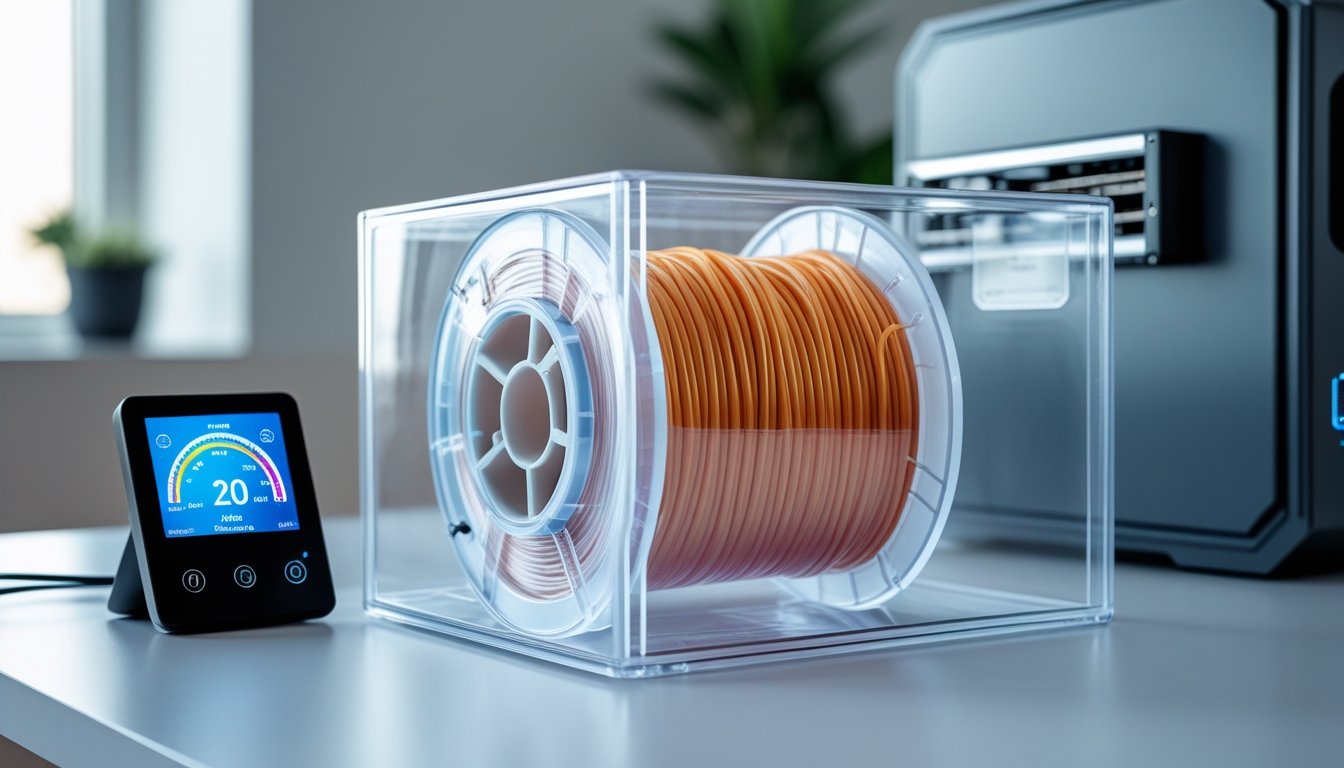
Learning how to keep filament dry is critical for achieving high-quality 3D prints. Moisture absorption is one of the most common causes of print failures, leading to stringing, bubbling, and weak layer adhesion.
When filament absorbs humidity from the air, it can ruin your prints before you even start. Materials like nylon, TPU, and PETG are especially hygroscopic, meaning they attract and retain moisture rapidly.
The good news? Proper storage and drying techniques can completely prevent these issues. Read on to cover proven methods that protect your 3D printer filament investment and ensure every print comes out perfect.
Ready to print with materials that demand proper drying? Check out our high-temperature filaments that deliver exceptional strength and heat resistance when stored correctly.
How to Keep Filament Dry: Essential Storage Methods

Protecting filament from moisture means picking a storage method that actually fits your space and habits. The best options block humidity and actively pull out any lingering moisture around your spools.
Airtight Containers With Desiccants
Airtight containers plus desiccants? That’s the classic move. You need boxes with real seals—no cracked lids or loose fits. The container keeps out humid air, while desiccants inside soak up whatever moisture sneaks in.
Silica gel packets are the go-to for most folks. They’re cheap, easy, and you can toss in 50-100 grams per container (depends on how much you’re storing). Some silica gel even changes color when it’s full—blue turns pink, for example—so you know when to swap it out.
Clay desiccants are solid for bigger setups. They can absorb more moisture by weight than silica gel. Most of these can be “recharged” by tossing them in the oven at 200-250°F for a couple hours.
Check your desiccants every few weeks. If they look saturated, swap or recharge them. Try to keep your containers where it’s cool—somewhere between 50-70°F is ideal.
Dry Boxes and Storage Cabinets
Dry boxes keep humidity under control, either passively or with electronics. You’ll find everything from basic plastic bins with spool holders to fancy cabinets with digital humidity displays.
Electronic dry boxes use heaters or dehumidifiers to keep things below 20% humidity. They run constantly to protect your filament. Most have digital readouts so you know what’s going on inside.
Many dry boxes hold four to eight spools, and a lot let you feed filament straight to your printer without taking it out. That way, your filament stays dry even while you’re printing. Look for boxes with adjustable shelves and pass-through holes that fit your spools.
Vacuum-Sealed Bags for Long-Term Storage
Vacuum-sealed bags are the way to go if you’re not planning to use certain filaments for a while. Suck all the air out and you’ve got the driest environment possible.
You’ll need a vacuum sealer and bags big enough for your spools. Toss in a couple desiccant packs with each spool before sealing. The vacuum pulls out humid air, and the desiccants catch anything left behind.
Keep these bags somewhere cool and dark—sunlight can still mess up filament, even through the plastic. Slap a label on each bag with the filament type, color, and sealing date so you don’t lose track.
This method keeps printer filament good for six months to a year, sometimes longer. Once you open a bag, try to use that spool within a few weeks, or move it to a dry box.
Drying Wet 3D Printer Filament

If your filament’s already picked up moisture, you’ll need to dry it out before printing. Otherwise, expect popping sounds, blobs, and weak prints. The best tools for this are filament dryers, a carefully monitored oven, or a dryer box that keeps things dry while you print.
Using Filament Dryers and Dehydrators
Filament dryers make life easier. They heat your spools to the right temps for each material and protect them from overheating.
Popular choices include the Sunlu FilaDryer S4 (good for multiple spools) and the Creality Space Pi filament dryer (single spool). The Creality Space Pi Plus even shows you real-time humidity so you can see progress. Other solid options: Comgrow filament dryer, Polymaker PolyDryer, and other Sunlu models.
Most dryers let you pick temps from 40°C to 70°C. For PLA, 45-50°C for 4-6 hours does the trick. PETG likes 55-65°C for the same amount of time. Nylon needs 70°C for 6-8 hours—it’s like a sponge for water.
Look for adjustable temperature controls and timers. If you can monitor humidity, even better—it takes out the guesswork.
Oven Drying: Temperatures and Timing
If you don’t have a dryer, you can use a kitchen oven. Set it as low as possible and double-check the temp with an oven thermometer—most ovens aren’t super accurate at low temps.
Put your spools on a baking sheet and crack the oven door just a bit. That lets moisture escape and helps avoid sudden temp spikes that could melt your filament.
Here’s a quick reference for drying:
|
Filament Type |
Temperature |
Drying Time |
|
PLA |
40-45°C |
4-6 hours |
|
PETG |
55-60°C |
4-6 hours |
|
ABS |
60-65°C |
4-6 hours |
|
Nylon |
70-80°C |
6-8 hours |
Check on your 3D printer filament every hour or so. During a test extrusion, if you hear hissing or popping, there’s still moisture. Never walk away and leave the oven running with filament inside.
Maintaining Dryness During Printing
Long prints give moisture time to creep back in, especially with stuff like nylon or TPU. A filament dryer that doubles as a dispenser solves this—your spool stays warm and dry as it feeds into the printer.
The Creality Space Pi and similar dryers have holes for the filament to run straight from the heater to your printer. This is a lifesaver for marathon prints or overnight jobs.
Feed the filament through at the right angle to keep it from snagging or squeaking. Some people add PTFE tubing from the dryer to the printer for a smoother path. It helps, honestly.
When you’re not printing, stash your backup spools back in airtight containers with fresh silica gel. Don’t give moisture a chance between prints.
Stocking up on filament? Browse our bulk filament collection and save while building your properly stored filament library.
Preventing Moisture Damage in Filament

Filament soaks up moisture faster than most people expect, and it can mess with your print quality in a hurry. Different materials react to humidity in their own ways, so knowing the differences helps you protect your stash.
Signs Your Filament Has Absorbed Moisture
You can usually spot wet filament by ear—a popping or hissing sound at the nozzle means water’s turning to steam inside. That’s never good.
Look for stringy webs between print sections, rough or bumpy surfaces, and layers that just don’t stick together. Sometimes the filament snaps more easily, too.
Bubbles or tiny holes in the finished print are another giveaway. If your printer has trouble extruding smoothly, or you see random blobs and gaps, moisture could be the reason. In really bad cases, you might even clog your nozzle.
How Humidity Affects Different Filament Types
Some filaments are thirstier than others. Nylon and polycarbonate soak up water in just a few hours at normal humidity.
PLA is slower, but it still degrades if you ignore it. PETG and TPU are somewhere in between—if it’s humid where you live, keep an eye on them. ASA and ABS aren’t as sensitive but aren’t totally immune either.
If you’re in a humid area, even PLA needs protection within days of opening. Dry climates buy you more time, but eventually, all filaments absorb some moisture. Filament stored in high humidity just doesn’t last as long.
The Science Behind Filament Degradation
Water molecules bond to the polymer chains in your filament—a process called hydrolysis. This weakens the material at a molecular level, so your prints end up brittle and less strong.
When wet filament hits the hot end, the water flashes into steam. That creates pressure and bubbles in the melted plastic, making extrusion messy and leaving voids inside your print. The end result? Weak, unreliable parts.
Once the chemical damage is done, it’s permanent. You can dry out the moisture, but you can’t reverse the breakdown in badly degraded filament. High nozzle temps just make it worse if the filament’s already compromised.
Looking for flexible materials? Explore our flex TPU filament collection—just remember to keep these moisture-sensitive spools dry for best results.
Conclusion: How To Keep Filament Dry
Keeping your filament dry doesn't have to be complicated. With proper storage containers, desiccants, and occasional drying sessions, you'll prevent moisture-related print failures completely. The small investment in storage solutions pays off in consistently high-quality prints.
Start by storing your most hygroscopic filaments—nylon, TPU, and PETG—in airtight containers today. Monitor humidity levels regularly and dry filament before important prints.
Whether you're printing with FDM or exploring other 3D printing technologies, proper material care is essential. Learn more about post-processing techniques in our guide on how to clean resin prints.
Frequently Asked Questions: How To Keep Filament Dry
To store filament right, you’ll want airtight containers and desiccants. Drying times run 4 to 12 hours depending on the material. You can build a DIY dryer with household stuff, but don’t even think about microwaving filament—it’ll ruin it.
How do you keep filaments dry?
Store filament in airtight containers with desiccant packs to block moisture. Add humidity indicator cards to monitor levels and replace desiccants monthly. Keep spools away from sunlight and heat, only leaving out what you're actively printing.
Can I make my own filament dryer?
A food dehydrator works well—just add risers for spools and set it between 45-65°C. Kitchen ovens can work but need a separate thermometer since they often run 10-15°C off. DIY dry boxes using plastic bins and temp controllers cost $20-50 with designs available on Thingiverse.
How long does filament need to dry?
PLA needs 4-6 hours at 45-55°C, while PETG takes 6-8 hours at 60-65°C. Nylon requires 8-12 hours at 70-80°C due to high moisture absorption. Add 2-4 extra hours if filament has been in humid conditions for weeks.
Can you microwave filament to dry it?
Never microwave filament—it creates hot spots that melt or deform the material instantly. Microwaves can't maintain the steady, low temperatures filament requires for safe drying. Use a filament dryer, dehydrator, or controlled oven instead for even, gentle heat.