
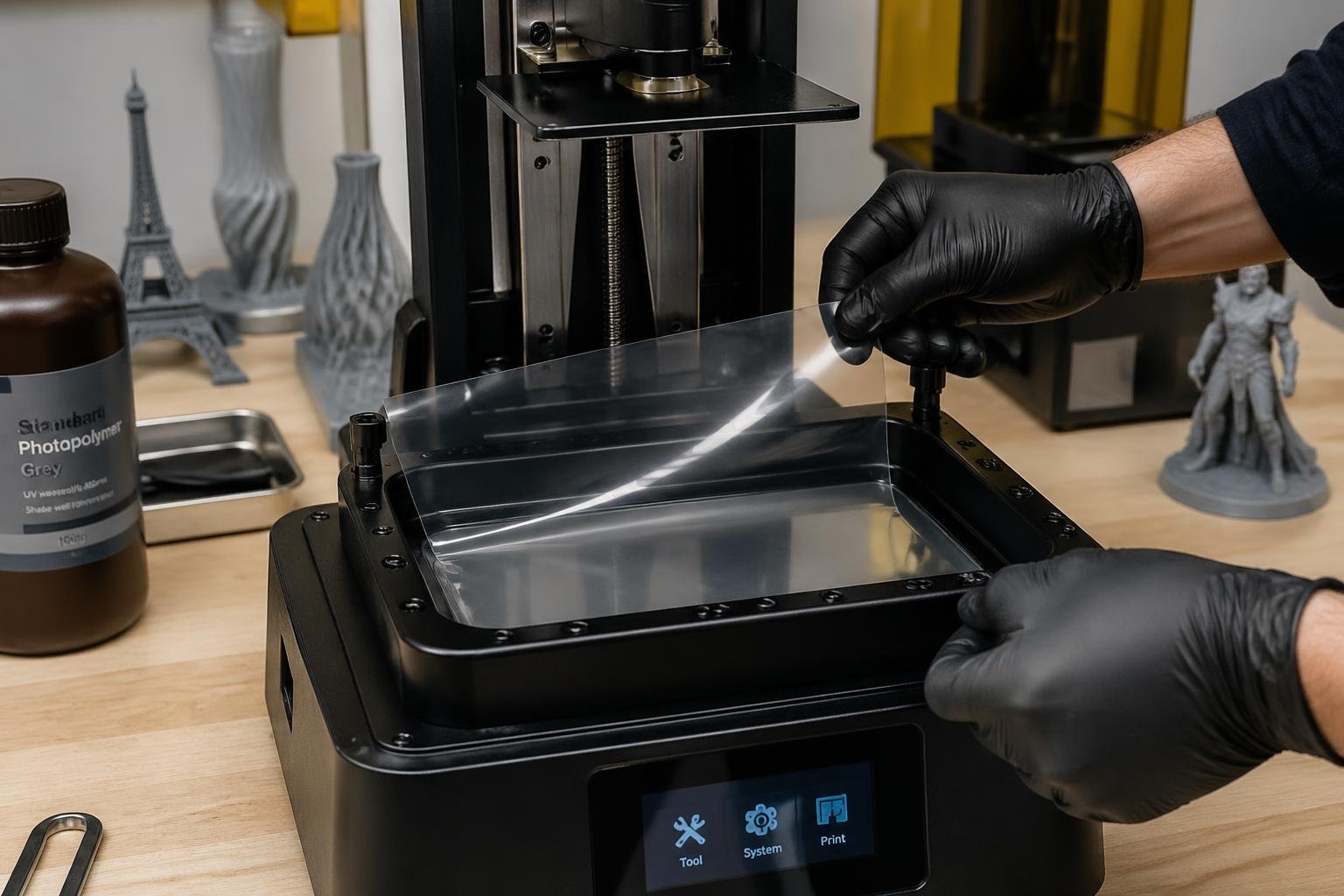
The good news is that FEP film gives you clear warning signs before it completely fails. You just need to know what to look for. This guide covers everything from spotting early damage to replacing the film correctly so your printer stays in top shape.
- Swap out FEP film if you see deep scratches, cloudiness, loss of tension, or holes
- Check your film often by holding the vat up to the light and inspecting print surfaces
- Most FEP films last about 40 prints but should be replaced sooner if you see damage
- Want to get more life out of your FEP film? Start with a quality resin. Browse Siraya Tech's full range of 3D printing resins for LCD printers and reduce wear on your film from the start.
Recognizing When FEP Film Needs Replacement

FEP film wears out over time and gives you some clear signs before it completely fails. If you catch these early, you'll prevent failed prints and protect your printer's LCD screen from expensive mishaps.
Visual Signs Your FEP Film Needs Replacing
Hold your resin vat up to a light and check the FEP film closely. Here's what to watch for:
| Serious Damage — Replace Right Away | Minor Issues — Keep Monitoring |
|---|---|
| Punctures or holes | Light surface scratches |
| Deep scratches that catch your fingernail | Small cloudy patches in non-critical areas |
| Cloudy or opaque spots that block light | Slight loss of tension |
| Big dents or bumps that won't flatten | Minor wear from regular use |
To check for punctures, pour isopropyl alcohol into the vat and put a paper towel underneath. If the towel gets wet, you've got holes.
The film should look clear and feel tight across the vat. Once it turns too cloudy or warps, it blocks UV light and your prints won't cure right.
Print Quality Issues Caused by Worn FEP Film
Your prints usually tell you when the FEP film is finished. Damaged film leaves scratches on the bottom surface of your prints.
Check the bottom layers of your prints. If they're smooth, your film's fine. If you see rough textures or scratch marks, it's probably time to swap the film.
When prints stick to the FEP instead of the build plate, you might be dealing with lost tension. Sometimes, you'll see layers that don't cure all the way or prints with weird, inconsistent details.
If you suspect tension loss, try bumping your lift height by 1mm. It is a temporary workaround only and will not fix the underlying tension issue, so replace the film as soon as possible.
How Often Should You Replace FEP Film
As a rule of thumb, change your FEP film every 40 prints. But really, it depends on what you print and how you treat the film.
Large prints or those with a lot of suction stress the film more. Gentle handling and regular cleaning can stretch the film's life past 40 prints.
Keep track of your print count and check the film every 10-15 prints. Some films last longer if you're careful, but aggressive printing can wear them out faster.
General guideline: Replace FEP film every 40 prints. Check the physical condition every 10-15 prints — visible damage and print quality issues are more reliable indicators than a strict print count.
FEP Film's Role in Resin Printing
FEP film acts as a clear barrier in your resin vat, letting UV light through to cure resin while stopping it from sticking to the screen. The film's condition directly affects print quality, and if it's damaged, you'll get failed prints and might even harm your printer's LCD screen.
What FEP Film Does Inside a Resin Printer
Both FEP and nFEP film (a modified version of standard FEP) do the same job in resin printers. The big difference is durability and release. nFEP film usually lasts longer than regular FEP because it's more non-stick and resists wear better during peeling.
| Film Type | Typical Lifespan | Best For |
|---|---|---|
| Standard FEP | ~40 prints | Casual users, occasional printing |
| nFEP (modified FEP) | Significantly longer | Heavy users, daily printing, production runs |
nFEP costs more upfront but might save you money if you print a lot. If you only print occasionally, regular FEP is probably fine. Folks who print daily or run lots of jobs tend to go with nFEP to cut down on maintenance time.
Best Practices for Replacing FEP Film

Replacing your FEP film the right way helps your prints come out clean and keeps your printer safe. Having the right tools ready and following a careful process saves time and avoids damaging other parts of your printer.
Tools You Need to Replace FEP Film
- Allen wrench or hex key set — to remove vat screws (most printers include these)
- Paper towels — for cleaning up resin spills
- Isopropyl alcohol (90%+) — to clean the vat and remove residue
- Plastic scraper — to remove stuck resin without scratching the vat
- Replacement FEP sheets — must match your printer model exactly
- Gloves — to protect your hands from uncured resin
- Small container — to hold screws so nothing gets lost during the swap
- Flat work surface — to lay out parts safely and keep track of everything
Step by Step FEP Film Replacement Guide
Step 1: Drain all resin from your vat and clean it with isopropyl alcohol. Let everything dry before you move on.
Step 2: Flip the vat upside down and remove all the screws around the frame. Set the screws aside so you don't lose them. Carefully lift off the frame to expose the old FEP film and peel it away.
Step 3: Lay your new FEP sheet over the vat opening, making sure it hangs evenly on all sides. Put the frame back on top of the sheet.
Step 4: Put screws loosely in opposite corners first to keep things lined up. Gradually tighten screws in a cross pattern, moving back and forth. Don't crank one down all the way before moving on — tighten each a bit at a time.
Quick test: Tap the center of the film gently — it should sound like a little drum. If it sounds flat or loose, re-tighten the screws evenly. Trim any extra FEP sticking out with scissors.
How to Test Your FEP Film After Replacing It
Run a test print after you install new FEP film. Pick a small calibration model that takes 20-30 minutes, just in case something goes wrong.
Check the bottom of your test print. It should feel smooth, with no bumps or weird textures from wrinkles. If you see lines or patterns, you probably didn't get the film tight enough.
- Pour a bit of isopropyl alcohol into the vat and put a paper towel underneath. Wait five minutes, then check for wet spots. If the towel's wet, the film has holes and needs to be reinstalled or replaced.
- Look at the FEP film from underneath, holding it up to the light. You want even tension across the whole surface, with no wrinkles or loose spots.
Printing flexible parts that put extra stress on your FEP film? Siraya Tech's flexible polyurethane resin is formulated to print cleanly and reduce the strain on your vat components.