
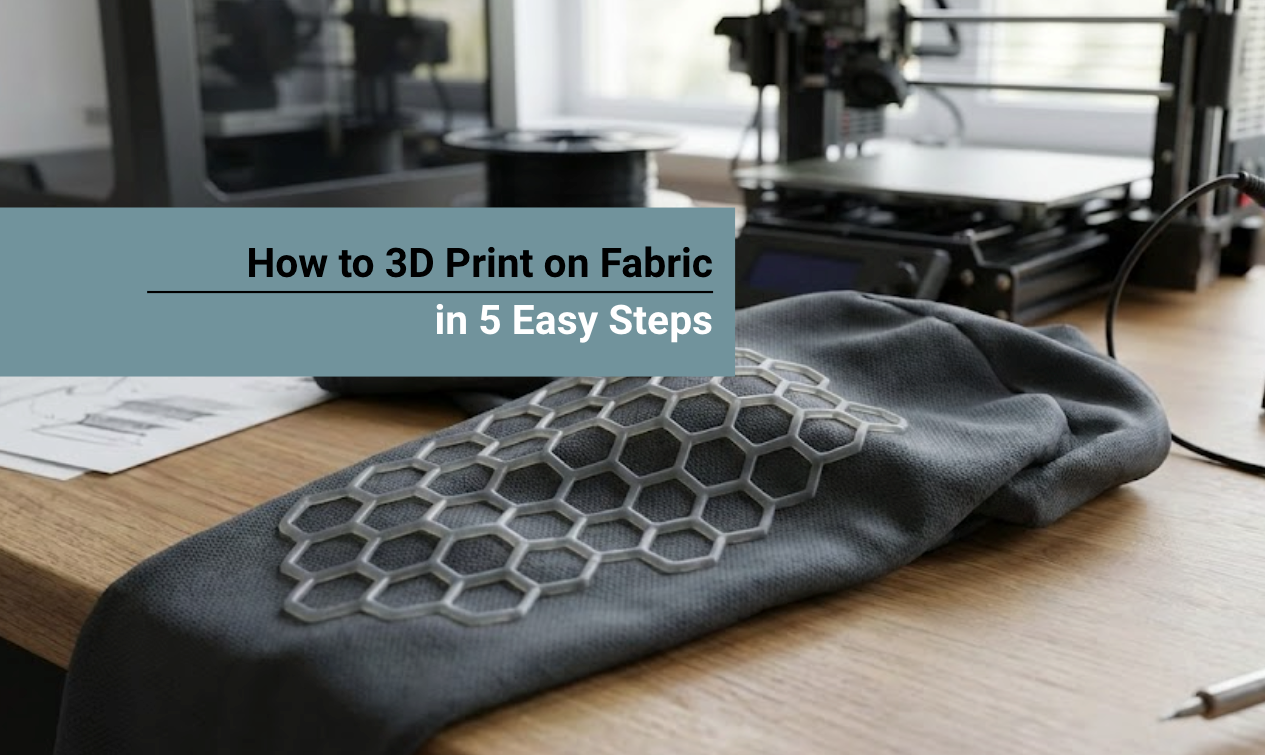
Most makers try to print rigid PLA onto a t-shirt, resulting in a stiff "plastic dinner plate" that cracks instantly. To create true flexible armor that moves with your body, you need to master 3D printing on fabric using the "Sandwich Method" and specific thermoplastic elastomers (TPU).
To create true "flexible armor" that moves with your body, you need a material that bonds permanently to the fabric mesh without becoming rigid. That material is Siraya Tech Flex TPU.
In this guide, we will master the "Sandwich Technique" to print 3D scales directly onto fabric mesh—no glue, no sewing, and no stiffness.
Quick Answer: What Materials to Use
Success depends on the mechanical lock between the filament and the mesh holes. Here is the golden rule for materials.
| Component | Recommendation | Why It Works |
|---|---|---|
| Filament | Siraya Tech Flex TPU | Naturally tacky; fuses to fibers permanently. |
| Fabric | Tulle or Polyester Mesh | Large holes allow plastic to melt through and "sandwich" the layer. |
| Adhesion | Blue Painters Tape | Secures the fabric taut to the plate; prevents nozzle snagging. |
Why Use Flex TPU Instead of PLA?
Standard PLA is a rigid plastic. If you print PLA scales onto a t-shirt, you are essentially wearing a plastic dinner plate.
It restricts movement and peels off easily because PLA sits on top of the fabric.
Siraya Tech Flex TPU changes the game:
- Mechanical Lock: TPU is naturally tacky when heated. As it extrudes through the mesh, it adheres to fibers, forming a permanent bond that won't peel off even after washing.
- True Flexibility: Unlike PLA, TPU is an elastomer. You can fold your armor into a suitcase, sit down, or twist your torso, and the scales will bend with you, not snap.
- Multiple Hardness Options: Choose softer 65A-82A for comfort (perfect for costume padding) or firmer 85A for armor plates that need structure.
Which TPU Should You Choose to 3D Print Onto Fabric?

Option 1: Flex TPU Air 65A-82A (Ultra-Soft)
Best For: Dragon scales, costume padding, wearable art that needs maximum comfort.
The Flex TPU Air 65A-82A is the softest option in the lineup. It features foaming technology similar to Roamr, creating a lightweight, cushioned feel perfect for all-day wear at conventions.
- Sale Price: $41.99 USD (Save 16%)
- Perfect For: Flexible dragon scales, soft shoulder pads, bendable costume elements
- Comfort Level: 10/10 (Cloud-like)
Option 2: Flex TPU 85A (Firm & Durable)
Best For: Tactical armor, shoe soles, high-wear costume pieces.
The Flex TPU 85A offers more structure while maintaining flexibility. It is ideal for armor plates that must retain their shape while still bending with body movement.
- Sale Price: $31.00 USD (Save 20%)
- Perfect For: Chest plates, shoulder guards, reinforced costume elements
- Durability: Excellent abrasion resistance
Option 3: Rebound PEBA 95A (Advanced)
Best For: High-performance applications requiring extreme flexibility and strength.
The Fibreheart Rebound PEBA 95A is a premium elastic filament with incredible snap-back properties.
It is overkill for most costumes but ideal for functional wearables such as custom orthotics or high-flex joints.
- Price: $49.99 USD
- Advanced Use: Requires precise tuning but offers superior performance
🛒 Get Fibreheart Rebound PEBA 95A⟶
Siraya Tech TPU Settings for Fabric Printing Guide
| Setting | Flex TPU 85A | Flex TPU Air (Foaming) |
|---|---|---|
| Nozzle Temp | 230°C - 240°C | 230°C - 250°C (Hotter = More Foam) |
| Bed Temp | 50°C - 60°C | 50°C - 60°C |
| Print Speed | 25 - 40 mm/s | 30 - 50 mm/s |
| Retraction | 1mm - 3mm | OFF (0mm) |
👉 For a deeper dive into general TPU settings, read our guide: How to Print with TPU Filament: The Ultimate Guide.
How to 3D Print on Fabric in 5 Easy Steps
The most reliable method for 3D printing on fabric is the "Pause and Print" technique.
This involves printing a few base layers directly on the build plate, pausing the printer, laying the fabric down, and then resuming the print to lock the fabric in place.
Step 1: Design Your Armor (The Gap Rule)
You cannot print a solid block of plastic on fabric, it will just be a stiff board. You need distinct "islands" (scales).
- Spacing: Leave 2mm-3mm gaps between scales. This gap is where the fabric will fold, acting as a hinge.
- Height: Keep scales under 3mm - 5mm thick. Thinner scales are more flexible.
Step 2: Slicer Settings (The Pause)
You need to tell your printer to stop automatically so you can insert the fabric.
- Layer Height: 0.2mm
-
Pause Command: Set a pause at Layer 3 or 4 (approx 0.6mm - 0.8mm).
- Why? The first few layers print directly on the build plate to create a base. Then you lay the fabric. The subsequent layers print through the fabric, locking it to the base.
Step 3: Print Settings for Flex TPU
Flexible filament needs specific settings.
- Nozzle Temp: 220°C - 230°C (For 65A-82A) / 230°C - 240°C (For 85A)
- Bed Temp: 50-60°C
- Speed: 20-30mm/s (Slow prevents jamming)
- Retraction: Turn OFF or minimal (0.5mm)
Step 4: The "Fabric Drop"
Start your print. When the printer pauses at Layer 3:
- Do NOT move the build plate.
- Gently lay your Tulle or Mesh over the print.
- Stretch it taut and tape it firmly to the edges of the build plate using Blue Painters Tape.
- Resume Print.
Step 5: Finish and Peel
Once the print finishes, let the bed cool completely. Carefully peel the tape, then remove the entire sheet. You now have a single sheet of fabric with 3D-printed armor permanently fused to it!
👉 Related Article: Creative Ideas to Print with TPU for Home and Work
Troubleshooting Common Issues
The nozzle snagged/tore the fabric.
Fix: Enable "Z-Hop When Retracted" (0.4mm - 0.6mm) in your slicer. This lifts the nozzle before moving, preventing it from dragging across the mesh.
The scales are peeling off.
Fix: Your mesh is too dense (holes are too small). Switch to Tulle or Mosquito Netting to allow the plastic layers to touch and fuse.
The fabric melted.
Fix: Synthetic fabrics like Nylon have low melting points. Switch to a Polyester mesh or slightly lower your nozzle temperature.
Conclusion
3D printing on fabric transforms rigid plastic into wearable art. By upgrading from PLA to Siraya Tech Flex TPU, you ensure your creation is durable, comfortable, and convention-ready.
The key to success lies in preparation: choosing the right mesh, leveling your bed, drying your filament, and securing the fabric tightly. With these steps and the right materials from Siraya Tech, you are ready to push the boundaries of wearable technology.
Related Articles:
- Best Flexible Filament Types for Strong 3D Prints
- 95A vs 98A TPU Filament: Which Is Right for Your 3D Printing Projects?
- Tenacious Resin for Flexible and Impact‑Resistant 3D Printing
FAQs About 3D Printing on Fabric
Can I 3D print on fabric?
Yes, you can 3D print directly on fabric if you use the right settings and material. The fabric must be heat-resistant and thin enough for the filament to bond through the fibers. Many makers use mesh, tulle, or polyester fabric for best results. Flexible filament usually sticks better than rigid plastic.
What materials cannot be used in 3D printing?
Materials that melt too easily, burn quickly, or release toxic fumes should not be used in 3D printing. Some soft rubbers, untreated natural fabrics, and heat-sensitive plastics may fail during printing. Very brittle materials can also crack during the process. Always use materials designed or tested for 3D printing.
Can you 3D print on shirts?
Yes, you can 3D print on shirts, but the fabric type matters a lot. Synthetic shirts like polyester usually work better than cotton. The print must be done at a safe temperature so the shirt does not burn or warp. Flexible filament helps the printed design move with the fabric.
Can you print on fabric?
Yes, 3D printing on fabric is possible and is used for fashion and wearable projects. The key is using the correct print temperature and layer height. The printer pushes melted filament into the fabric fibers to create a bond. Test small prints first to avoid damaging the material.
What filament do you use to print on fabric?
TPU is the most common filament used to print on fabric. TPU is flexible, strong, and less likely to crack when the fabric bends. Softer TPU grades often bond better to fabric fibers. Dry filament and slow print speed help improve results.