
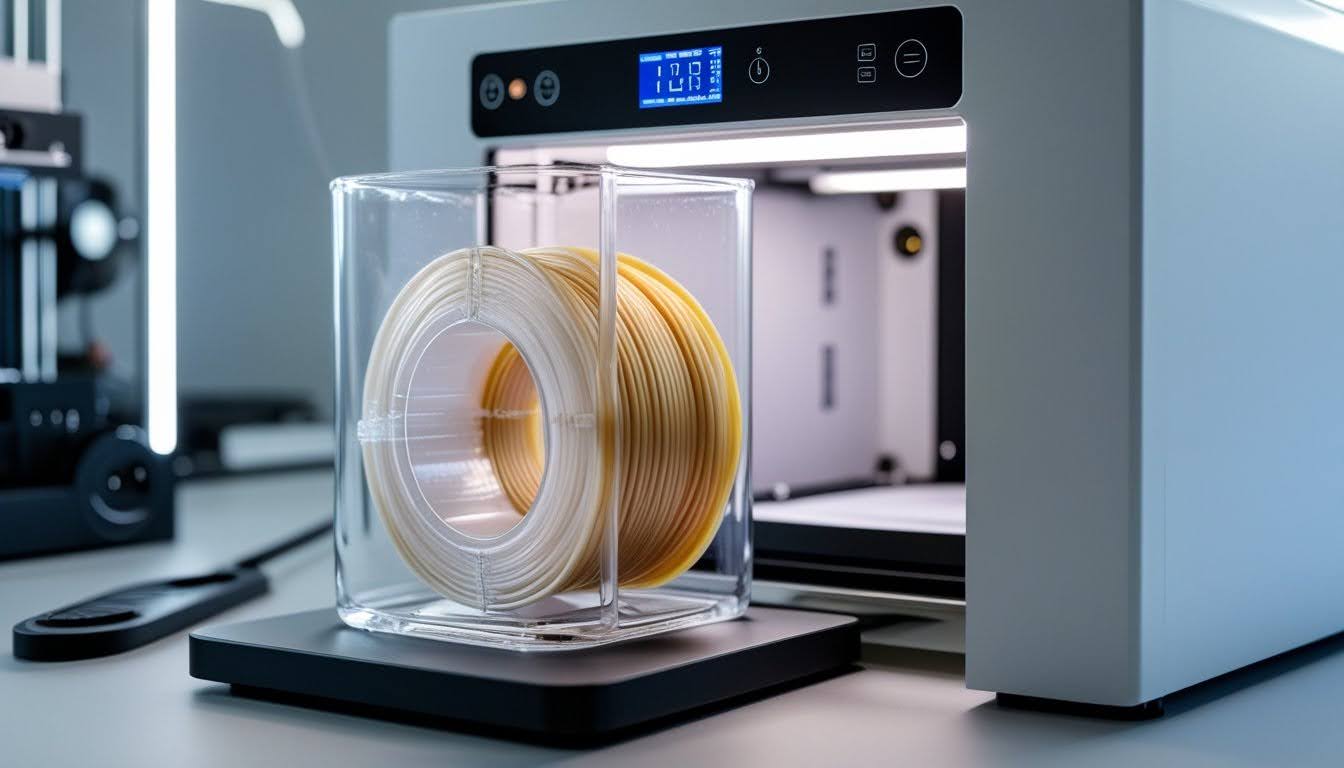
Learning how to dry PETG filament properly prevents common print quality issues like stringing, bubbles, and weak layer adhesion caused by moisture absorption. Even brand-new spools can contain enough moisture to ruin your prints if they weren't stored properly before purchase.
Drying PETG correctly eliminates these problems and restores filament to optimal printing condition. The process is straightforward with the right temperature, timing, and equipment—whether you use a dedicated dryer or household alternatives.
This guide covers everything you need to dry PETG filament effectively, recognize moisture problems early, and store your filament to prevent future issues.
Minimize moisture problems from the start. Our PETG filament collection features enhanced vacuum-sealing and precision manufacturing for print-ready quality.
Why PETG Filament Needs Drying

PETG grabs moisture from the air—it's hygroscopic—which messes with print quality and causes plenty of headaches. Knowing how moisture messes with your filament helps you dodge a lot of common problems.
How Moisture Affects PETG Print Quality
When PETG absorbs water, those molecules get trapped inside. During printing, the hotend heats things up to around 230–250°C. All that water instantly turns to steam.
Steam forms bubbles that force their way out through the molten plastic. You’ll see these bubbles pop and leave little craters or rough areas on your print. Steam also makes the extrusion inconsistent, so instead of a smooth flow, you get spurts and gaps.
Wet PETG filament causes:
- Poor adhesion between layers
- Extra stringing between print sections
- Rough, bumpy surfaces
- Weaker prints overall
- Brittle parts that snap easily
If your printer starts making popping or hissing noises, steam’s escaping from the nozzle. That’s moisture, plain and simple.
Signs Your PETG Filament Is Wet
Look for these on your prints:
- Small bumps or pimples
- Strings of plastic between sections
- Fuzzy or hairy outer walls
- Gaps between layers
Unusual sounds from the printer—popping, cracking, sizzling—mean water’s turning to steam in the nozzle. Not a good sign.
Wet PETG usually leads to prints that break or crack more easily. Layers might split apart if you stress them, because moisture weakens the bonds.
Check the filament itself. If it feels a bit soft or bendy when it’s supposed to be stiff, it probably absorbed some water.
PETG vs Other Filaments: Moisture Absorption Rates
PETG absorbs water faster than PLA but not as quickly as nylon. It’s definitely up there among the more moisture-sensitive filaments.
|
Filament Type |
Moisture Sensitivity |
Absorption Speed |
|
PETG |
High |
Moderate to Fast |
|
PLA |
Low to Moderate |
Slow |
|
ABS |
Moderate to High |
Moderate |
|
Nylon |
Very High |
Very Fast |
|
TPU |
High |
Fast |
PETG starts soaking up moisture as soon as you open the bag. In humid places, it can get wet enough to ruin prints in just a few hours.
It’ll keep absorbing moisture even if you leave it on your printer. PETG needs more attention than PLA if you want good prints. Where you live matters too—coastal or humid climates make things worse, and you’ll notice it.
Start with quality PETG that's properly manufactured and packaged to resist moisture. Browse our 3D printer filament collection for reliable materials that deliver consistent results when stored and dried correctly.
Methods to Dry PETG Filament Effectively

To dry PETG, heat it to 65°C (149°F) for at least 3 hours. There are a few ways to do this, depending on your gear and budget.
Using a Filament Dryer for Best Results
Filament dryers are basically food dehydrators built for 3D printing. They heat air inside a closed box, pulling moisture out of your filament.
Set the dryer to 65°C, pop your PETG spool inside, and let it run for at least 3 hours. Some dryers handle multiple spools at once, which is handy if you keep a lot on hand.
Why use a filament dryer?
- Precise temperature control
- Consistent results
- Can dry and print at the same time
- Works for other 3D printer filaments too
Check your filament after the cycle. If you still spot moisture problems, run another round. If you print a lot or have several types of filament, a dryer’s worth the investment.
Oven Drying PETG: Temperature and Timing
Your kitchen oven can work in a pinch, but you need to watch the temperature closely.
Preheat to 65°C and let it stabilize—most ovens overshoot during preheating. Use an oven thermometer to make sure it’s really at 65°C.
Put your PETG spool on the rack for at least 3 hours. Don’t go hotter, or you’ll end up with a melted mess.
Temperature tips:
- Set at: 65°C (149°F)
- Never go above: 70°C (158°F)
- Always double-check with a thermometer
If it’s still wet after 3 hours, give it another cycle. Ovens are best for occasional drying, not everyday use.
DIY Drying Solutions for Home Users
If you don’t have a dryer, you can use your 3D printer’s heated bed. Set it to 65°C, wait until it’s ready, and place your filament spool in a heatproof airtight bag or wrap it in foil. That traps the heat and moisture inside.
Let it sit on the heated bed for 3 hours. The printer’s temperature control makes this safer than you’d think.
A food dehydrator is another good option. Just put the PETG spool inside, set it to 65°C, and dry for at least 3 hours. Check for moisture after to see if you need to run it again.
DIY drying comparison:
|
Method |
Equipment Needed |
Cost |
Effectiveness |
|
Heat bed |
3D printer |
$0 |
Good |
|
Food dehydrator |
Food dehydrator |
$0-50 |
Excellent |
|
Airtight container |
Container + desiccant |
$10-20 |
Fair (prevention) |
If your filament’s really wet, you might need more than one cycle. Listen for popping or watch for steam during your next print—if you notice either, it needs more time.
Looking for specialty materials beyond PETG? Our soft 3D printer filament collection offers flexible options for applications where rigid filaments won't work.
Storing PETG to Prevent Moisture Problems
Good storage keeps PETG dry between prints and helps it last longer. The right containers and desiccants block moisture, and knowing when to re-dry your filament saves you from ruined prints.
Proper Storage Containers and Desiccants
Use airtight containers or vacuum-sealed bags to keep PETG safe. Regular plastic bags just don’t cut it—air and humidity sneak in over time.
Airtight zip bags work if you toss in some silica gel packets (20–50 grams per spool). Vacuum-sealed bags do a better job since you remove the air before sealing.
Stick a digital hygrometer inside to monitor humidity. Keep it under 20%. Swap out or recharge desiccants if they change color or if humidity creeps up.
Clear bins with rubber seals are great for storing several spools together. Toss in a few desiccant packs and you’re set. It’s cheaper than using individual bags and still keeps things dry.
Long-Term PETG Storage Best Practices
Keep PETG away from kitchens and bathrooms—humidity’s higher there. Pick a cool, dry spot where temperature and moisture stay steady.
Store your filament in climate-controlled rooms. Garages and basements often get damp, even if you use sealed containers. Closets or shelves in the main part of your house usually work better.
Every few months, check stored filament with a hygrometer. If humidity rises above 20%, swap out the desiccant. Write the storage date on each spool so you know how long it’s been sealed up.
Don’t let PETG sit in direct sunlight. UV rays break down the plastic over time and mess with print quality.
When to Re-Dry Your PETG Filament
If your PETG’s been stored for more than three months without airtight protection, dry it before printing. Even if you stored it right, consider drying after six months or so.
Popping, hissing, or crackling during printing means moisture’s still in there. Stop and dry the filament before you waste more time and material.
Notice stringing or a fuzzy surface? That’s another clue the filament’s wet. If layers don’t stick or extrusion looks uneven, it’s time for a drying cycle.
See steam coming from the nozzle? Dry at 65°C for at least 3 hours before you try again.
Need clean, professional-looking prints? Explore our white 3D printer filament collection for crisp results across PLA, PETG, and other materials—all with proper moisture protection.
Conclusion: How to Dry PETG
Drying PETG 3D printer filament properly is essential for consistent, high-quality prints without stringing, popping, or weak layers. Whether you use a dedicated filament dryer, oven, or DIY solution, maintaining the correct temperature and drying time makes all the difference.
Store your PETG in airtight containers with fresh desiccant to minimize re-drying cycles and keep your filament print-ready. A little preventive care saves hours of troubleshooting failed prints and wasted material.
Want to explore other filament options that deliver reliable results? Check out our guide on the best filament for 3D printing to find materials that match your project needs.
Frequently Asked Questions: How to Dry PETG
Drying PETG takes specific temperatures and timing to clear out moisture. If you skip this step, you’ll see stringing, weak layers, or bad adhesion.
How long does it take for PETG to dry?
PETG typically needs at least 3 hours at the correct temperature, though actual drying time varies based on moisture level, humidity, and drying method. If you still see moisture problems after 3 hours, continue drying in additional 3-hour cycles. Check between cycles until the filament is completely dry.
Is 50C hot enough to dry PETG?
No, 50°C is too low to effectively dry PETG filament and won't remove moisture properly. The recommended drying temperature is 65°C (149°F)—hot enough to extract moisture without warping the filament. Temperatures below 65°C leave moisture trapped inside that will affect print quality.
Does drying improve PETG prints?
Yes, drying PETG significantly improves print quality by eliminating popping sounds, steam puffs, and stringing issues. Dried filament delivers better layer bonding, smoother extrusion, and more consistent results. The improvement is most noticeable with filament that's been exposed to humidity, making drying worthwhile even for seemingly good spools.
Do I need to dry PETG out of the box?
Dry new PETG if you're uncertain about storage conditions, as vacuum-sealing doesn't guarantee completely dry filament. Check moisture indicators or desiccant packs—if they've changed color or the seal looks compromised, dry before printing. In humid climates, even sealed filament can absorb moisture, so drying new spools prevents failed prints and wasted time.
1 comment
dfgddgfd
https://eventos.itam.mx/sites/eventos.itam.mx/files/eventositammx/eventos/croquis/2025/12/a-a-telefono-mexico-como-hablar-con-una-persona-en-american-airlines.pdf
https://www.mapmyrun.com/routes/view/6658588116/
https://greenvillejournal.com/wp-content/uploads/formidable/14/a-a-telefono-mexico-como-hablar-con-una-persona-en-american-airlines.pdf
https://www.scribd.com/document/960043887/52-MA-xico-Como-hablar-con-una-persona-en-American-Airlines
https://youthgroup.ctbto.org/sites/youthgroup.ctbto.org/files/2025-12/a-a-telefono-mexico-como-hablar-con-una-persona-en-american-airlines.pdf
https://sites.google.com/view/52mxico-cmo-hablar-con-una-per/home
https://eventos.itam.mx/sites/eventos.itam.mx/files/eventositammx/eventos/croquis/2025/12/52-delta-telefono-mexico-como-llamar-a-delta-en-mexico.pdf
https://www.mapmyrun.com/routes/view/6658589689/
https://greenvillejournal.com/wp-content/uploads/formidable/14/52-delta-telefono-mexico-como-llamar-a-delta-en-mexico.pdf
https://www.scribd.com/document/960047352/Delta-Telefono-Como-llamar-a-Delta-en-Mexico
https://youthgroup.ctbto.org/sites/youthgroup.ctbto.org/files/2025-12/52-delta-telefono-mexico-como-llamar-a-delta-en-mexico.pdf
https://sites.google.com/view/guacompletacmollamaradeltaenmx/home
https://anterior-cualtos.udg.mx/sites/default/files/webform/a-a-telefono-mexico-como-hablar-con-una-persona-en-american-airlines.pdf
https://anterior-cualtos.udg.mx/sites/default/files/webform/52-delta-telefono-mexico-como-llamar-a-delta-en-mexico.pdf
https://anterior-cualtos.udg.mx/sites/default/files/webform/dffdfdsfsdfs.pdf
https://anterior-cualtos.udg.mx/sites/default/files/webform/united-mex-reserva-como-puedo-hablar-con-alguien-de-united.pdf
https://eventos.itam.mx/sites/eventos.itam.mx/files/eventositammx/eventos/croquis/2025/12/united-mex-reserva-como-puedo-hablar-con-alguien-de-united.pdf
https://www.mapmyrun.com/routes/view/6658591907/
https://www.scribd.com/document/960052507/UniTeD-reserva-Como-puedo-hablar-con-alguien-de-United
https://greenvillejournal.com/wp-content/uploads/formidable/14/united-mex-reserva-como-puedo-hablar-con-alguien-de-united.pdf
https://youthgroup.ctbto.org/sites/youthgroup.ctbto.org/files/2025-12/united-mex-reserva-como-puedo-hablar-con-alguien-de-united.pdf
https://sites.google.com/view/52mexicoalguientelefonocmopued/home
https://eventos.itam.mx/sites/eventos.itam.mx/files/eventositammx/eventos/croquis/2025/12/telefono-de-southwest-como-puedo-hablar-con-una-persona-de-southwest.pdf
https://anterior-cualtos.udg.mx/sites/default/files/webform/telefono-de-southwest-como-puedo-hablar-con-una-persona-de-southwest.pdf
https://www.mapmyrun.com/routes/view/6658593723/
https://greenvillejournal.com/wp-content/uploads/formidable/14/telefono-de-southwest-como-puedo-hablar-con-una-persona-de-southwest.pdf
https://www.scribd.com/document/960057061/Apoyo-52-SWA-Como-puedo-hablar-con-una-persona-de-Southwest
https://youthgroup.ctbto.org/sites/youthgroup.ctbto.org/files/2025-12/telefono-de-southwest-como-puedo-hablar-con-una-persona-de-southwest.pdf
https://sites.google.com/view/swntelefonomexico247cmopuedoha/home
https://eventos.itam.mx/sites/eventos.itam.mx/files/eventositammx/eventos/croquis/2025/12/british-airways-reservas-como-hablar-con-ba.pdf
https://anterior-cualtos.udg.mx/sites/default/files/webform/british-airways-reservas-como-hablar-con-ba.pdf
https://www.mapmyrun.com/routes/view/6658595603/
https://www.scribd.com/document/960061902/British-reservas-Como-hablar-con-ba
https://greenvillejournal.com/wp-content/uploads/formidable/14/british-airways-reservas-como-hablar-con-ba.pdf
https://youthgroup.ctbto.org/sites/youthgroup.ctbto.org/files/2025-12/british-airways-reservas-como-hablar-con-ba.pdf
https://sites.google.com/view/britishreservascmohablarconba/home
https://anterior-cualtos.udg.mx/sites/default/files/webform/guia-ninos-viajan-qatar-como-hablo-con-una-persona-en-qatar-airways.pdf
https://anterior-cualtos.udg.mx/sites/default/files/webform/tarifa-flex-qatar-como-hablo-con-una-persona-en-qatar-airways.pdf
https://anterior-cualtos.udg.mx/sites/default/files/webform/telefono-qatar-mex-ico-como-hablo-con-una-persona-en-qatar-airways.pdf
https://anterior-cualtos.udg.mx/sites/default/files/webform/telefono-qatar-guia-paso-mexico.pdf
https://anterior-cualtos.udg.mx/sites/default/files/webform/salmakkingkhan.pdf