
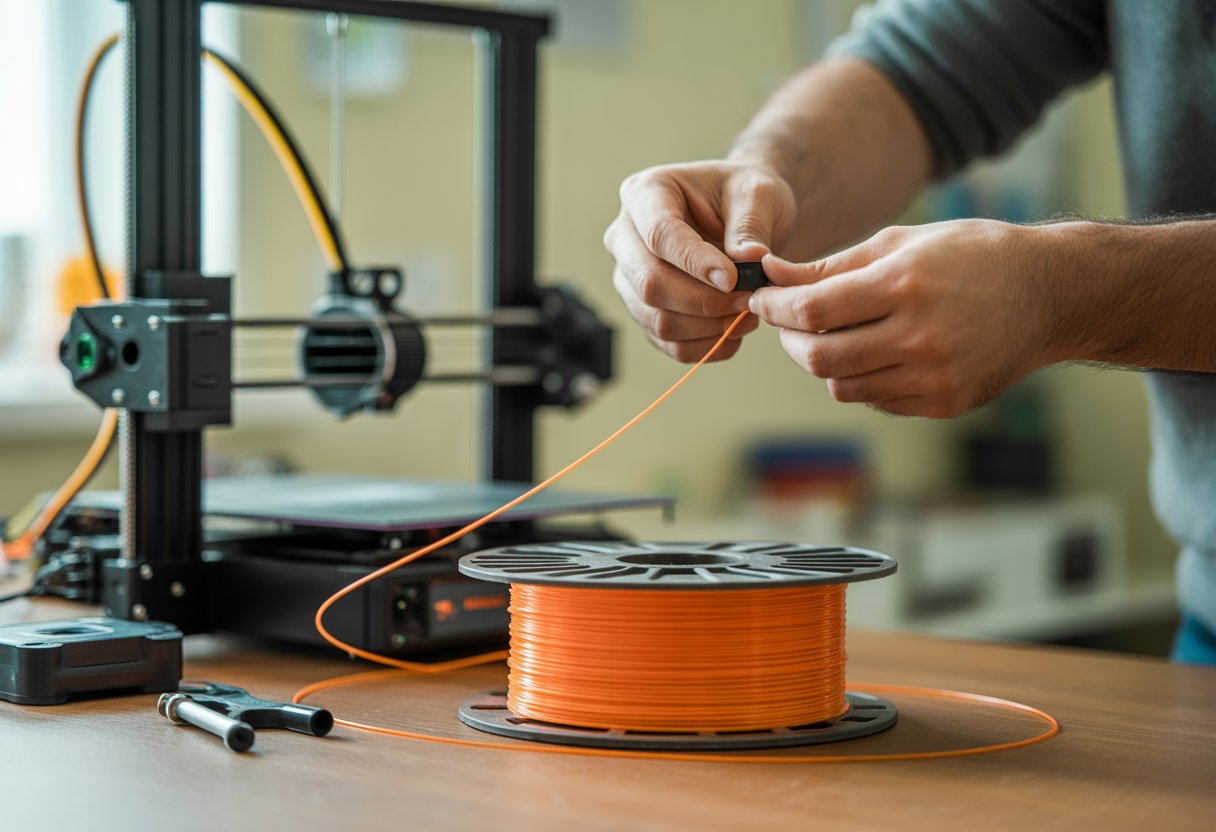
Respooling filament keeps your 3D prints smooth and your printer running without jams. Tangled or unevenly wound filament can ruin a print fast, but fixing it is simple with the right method.
You can easily respool filament by keeping steady tension while transferring it from one spool to another. You don’t need fancy tools—just a bit of patience and the right setup.
Learning this skill saves time, money, and frustration when dealing with loose or messy filament rolls.
Key Takeaways
- Know why and when to respool your filament.
- Get the right tools and setup before starting.
- Follow clear steps to keep the filament smooth and tangle-free.
By reading our guide How to Change Filament Ender 3: Easy Step-by-Step Guide, you’ll master filament handling and respooling techniques.
Why and When You Need to Respool Filament

You may need to move your 3D printer filament to a new spool if it becomes messy, loose, or tangled. Doing this helps keep prints running smoothly and prevents waste or printer damage.
Common Causes of Filament Tangling
Filament can tangle when it’s wound loosely or handled carelessly. If you drop a spool or unwind it too far, the loops can cross and create knots.
Pulling filament too fast from the spool can also slip a loop under another one, which later tightens into a tangle. Storing filament without securing the loose end often causes problems.
Always clip or tuck the end into a notch to keep it from unspooling.
Cheap or poorly wound spools from the factory sometimes already have crossed layers, making tangling more likely even before you start printing.
If you use partial spools often, the risk grows. Moving them from printer to storage can loosen the layers, so regular inspection helps catch small knots early.
Signs Your Filament Needs Respooling
You’ll notice your filament feeding unevenly or catching during prints. The extruder might click, pause, or stop pulling smoothly. When you unroll the filament by hand, it may feel tight in some sections and loose in others.
Check for uneven winding. If layers look crossed or you can see loops trapped underneath others, that’s a sure sign it needs respooling.
A visual check is easy—look for ridges, gaps, and twisted layers around the spool edge. Another clue is when the spool doesn’t spin evenly on the holder. Resistance or jerky spinning means the winding tension isn’t balanced.
Effects of Tangled Filament on 3D Printing
Tangled filament causes under-extrusion, layer gaps, and sudden stops during printing. When a knot forms, your extruder can’t pull enough material through, making weak layers.
If it tightens completely, you’ll often see failed prints or broken filament.The extruder motor can strain from pulling too hard.
Over time, this extra tension may wear out mechanical parts. Tangled filament also wastes time—you must restart print jobs and reheat the nozzle to clean out jams.
|
Tangling Issue |
Result in Print |
|
Tight or crossed filament |
Stalled or uneven extrusion |
|
Locked loops |
Print stops mid-layer |
|
Uneven tension |
Layer separation or shift |
Understand filament types better with 3D Filament Types: Complete Guide for Every 3D Project to improve your filament management skills.
Getting Ready: What You Need Before Respooling

Before you start, make sure you have a few simple tools ready. You’ll need two spools — one empty and one with filament you want to rewind.
The spools should turn freely so the filament can move smoothly. Keep your workspace clean and flat.
Dust or debris can stick to the filament and affect your prints later. A small towel or mat keeps the spools from sliding around.
Basic tools you might need:
- A pair of scissors or flush cutters to trim ends
- A soft cloth to wipe the filament
- Optional: drill or manual winder if you want to speed it up
If you use PLA, don’t leave it in a hot or humid place while working. PLA absorbs moisture and can get brittle or sticky.
Store it in a dry box or airtight container before and after respooling. You can also check your filament’s color, diameter, and type. Mixing different materials on the same spool can cause printing issues later.
|
Item |
Purpose |
|
Empty spool |
Holds the untangled filament |
|
Gloves (optional) |
Keep oils off filament |
|
Scale (optional) |
Check how much filament is left |
Start with beginner-friendly options from the Siraya Tech PLA Filament for 3D Printing Collection to manage filament smoothly.
Step-by-Step Guide: How to Respool Filament
You can fix a tangled or broken filament spool with a few simple tools and a clean workspace. By handling the filament carefully, keeping tension even, and winding it in the right direction, you make sure it feeds smoothly into your 3D printer.
Securing and Untangling the Filament
Start by laying out your spool and filament on a flat surface. If the filament is tangled, remove the knots one at a time without pulling too hard.
Pulling roughly can snap or twist the filament, especially with brittle materials like PLA. Find the filament’s loose end and check that it moves freely around the spool.
Most spools have a small notch or hole where you can anchor the start of the filament. Insert and bend the tip slightly to hold it in place.
If the filament came off the spool completely, wind a few loops by hand to secure the end before placing it on a spool holder or dowel. Keeping the line neat now prevents bigger messes later.
Manual vs. Power-Assisted Respooling
You can respool by hand or with a filament respooler tool. Hand winding takes longer but gives you more control over speed and tension.
Hold the empty spool in one hand while turning it slowly and guiding the filament with your other hand. Power-assisted respoolers, like drill or motor-based tools, speed up the job. Mount the spools so they can spin freely and keep the filament path straight. Never let it cross over itself.
Before using a powered setup, test it at a slow speed first. You want to make sure the filament stays tight and smooth. Too much speed or tension can stretch or break the filament, which makes printing difficult later.
Techniques to Avoid New Tangles
The way you wind the filament matters. Always keep it in one direction, with each new loop laying flat next to the last. Crossing lines causes tangles that can jam your extruder.
Work in short sections, checking your winding pattern often. You can guide the spool with your hand or use a line guide arm if your setup has one. This helps the winding stay even across the spool’s width.
After respooling, use tape or the filament notch to hold the free end. Store the spool in a dry bag or sealed container with silica gel to keep out moisture. PLA and other filaments can absorb water, which affects print quality.
Maintaining Even Tension During Respooling
Even tension keeps the filament from loosening or overlapping. As you wind, apply light pressure with your fingers to keep the line snug but not tight enough to stretch. Place both spools on mount holders that let them turn freely.
The path between them should be straight and level, with no sharp bends. Check tension every few turns by gently pulling the filament.
If you notice uneven layers forming, stop and rewind a few sections. Smooth layers tell you you’re keeping a steady pull. When done, clip the end into the spool notch so it doesn’t spring loose.
Gain practical tips in How to Remove Filament Stuck in Toolhead Bambu Labs A1 to troubleshoot and respool filament effectively.
Pro Tips for Specific Filament Types
Different filaments behave in unique ways when you respool them. Paying attention to flexibility, brittleness, and temperature sensitivity helps you keep the filament smooth and ready for printing.
Respooling PLA and Other Common Materials
PLA stays fairly stiff, which makes it easier to wind neatly on a spool. Keep the filament tight but not stretched, and guide it slowly so layers stay even.
If you pull too fast, you might create loops that cross over and cause tangles later. Use a clean, empty spool with a notch or hole to anchor the end.
A hand drill or manual winder can help you keep steady tension while turning. Store the spooled PLA in a dry area since it absorbs moisture from the air.
For materials like PETG or ABS, follow the same steps but watch for heat exposure. Warm filament winds unevenly and can stick to itself.
You can check progress as you roll by turning the spool sideways to see if the layers look level. Small fixes during winding save time later when printing.
Quick checklist:
- Keep steady tension
- Avoid overlapping layers
- Store in a sealed bag with a desiccant pack
Handling Flexible and Brittle Filaments
Flexible Pla filaments like TPU can twist or bunch up easily. Wind them slowly and evenly, keeping the line straight.
Use a spool holder with side walls or a guide tube to control movement. Too much pull can stretch or deform the filament, making it print poorly.
For brittle types such as old PLA or specialty composites, handle with care. These can crack if bent too tightly.
Try wide, loose coils, and avoid sharp changes in angle. It helps to rest the spool on a smooth surface that lets it rotate freely.
Tips for fragile or tricky filament:
- Keep winding speed low
- Roll onto a smooth, wide spool
- Handle only small lengths at a time
- Check for cracks or weak points before use
Prevent filament tangles by choosing high-quality materials from the Siraya Tech 3D Printer Filament Collection.
Best Practices for Preventing Future Filament Tangles
Keeping your filament neat after you respool it helps you get smooth prints and avoid clogging or wasted material.
You can keep filament from tangling by storing it correctly, choosing spools that handle better, and keeping it dry and clean.
Proper Filament Storage After Respooling
Store your filament where it stays clean and doesn’t uncoil. Spools should sit on a rod or hook that lets them spin freely when you print.
Avoid letting loose ends hang down because even a small loop can tighten into a knot later. Put the spool in a sealed container or zip bag with a silica gel pack to control humidity. This matters for PLA, which can absorb moisture and become brittle or sticky.
A clear box works well so you can see the color and type without opening it. Label each container with material type, color, and last use date. This helps you pick the right filament quickly and keeps dried filament separated from newer spools.
Using Reusable and Cardboard Spools
A good spool shape keeps the filament evenly wound and reduces snags. Reusable spools made of rigid plastic or metal stay straight and don’t warp over time.
They also reduce plastic waste because you can wind new refills on them instead of throwing them out. Cardboard spools are light, recyclable, and safe to cut if you need to fix a tangle. Just make sure the edges are smooth so they don’t scrape your filament.
Tighten the start end of the filament through the side slot before storage to stop unwinding.
When you move filament to a new spool, wind it evenly and avoid crossing layers. You can use a manual winder or drill-powered holder to spin it evenly while keeping tension steady.
Drying and Conditioning Filament
Moisture is one of the biggest causes of printing troubles. When humid air reaches the filament, it makes small bubbles that can cause weak layers and poor surface finish.
Use a filament dryer before printing or store the spool in a filament dry box at around 40–50°C for a few hours, depending on the type.
PLA usually only needs gentle heat, while nylon or PETG might need a bit longer.
You can check if your filament is dry by bending a small piece. If it snaps cleanly, it’s ready; if it bends or feels soft, dry it longer.
Wrap Up
Knowing how to respool filament is crucial for 3D printing success. Properly respooling filament prevents tangles, knots, and extrusion issues that can ruin prints.
Using simple tools and techniques, you can rewind filament neatly onto a spool, ensuring smooth feeding during printing. This skill saves time, reduces waste, and extends the life of your filament, making your 3D printing projects more efficient and hassle-free.
For reliable, high-performance filament that enhances your printing experience, check out Siraya Tech filaments.
Learn the differences between popular materials by reading PETG vs PLA: Which Filament Is Best for 3D Printing? to choose the best filament for your projects.
Frequently Asked Questions
What's the easiest way to wind filament back onto the spool?
Use an empty spool with side flanges and secure the filament end in the notch or hole. Turn the spool slowly while guiding the filament through your fingers to keep it tight and even.
If you have a drill or printed winder, you can use it to spin the spool faster, but steady control is more important than speed.
Can I respool 3D printer filament by hand, or do I need a special tool?
You can do it by hand. Keep light tension on the filament so the loops don’t cross or loosen.
If you print often or handle large spools, a hand crank or power tool makes it quicker and gives more consistent results.
Got any tips for fixing tangled filament without wasting it?
Cut the filament free from the spool before pulling knots. Slowly unwind it and work out tangles without pulling hard.
Lay it flat and move along the length, freeing each loop as you go. Once it’s smooth, you can wind it again neatly.
Is there a trick to respool filament without causing knots?
Keep tension on the filament at all times. Don’t let slack build up or overlap on the spool edges.
Wind in one direction only, and make sure each loop lies next to the last one, not on top.
Can I respool different types of filament the same way, or are there differences?
Most filaments like PLA, PETG, and ABS can be respooled the same way. They all need steady tension and even winding. For flexible or brittle filaments, move slower and use less pull so they don’t snap or stretch.
What should I watch out for to avoid messing up my filament when respooling?
Avoid kinks, twisting, or scraping the surface. Dirt or oil can stick to your filament and cause print issues. Store the respooled filament in a dry place with a desiccant bag to keep out moisture. Always check the end is clipped in before storing it.