
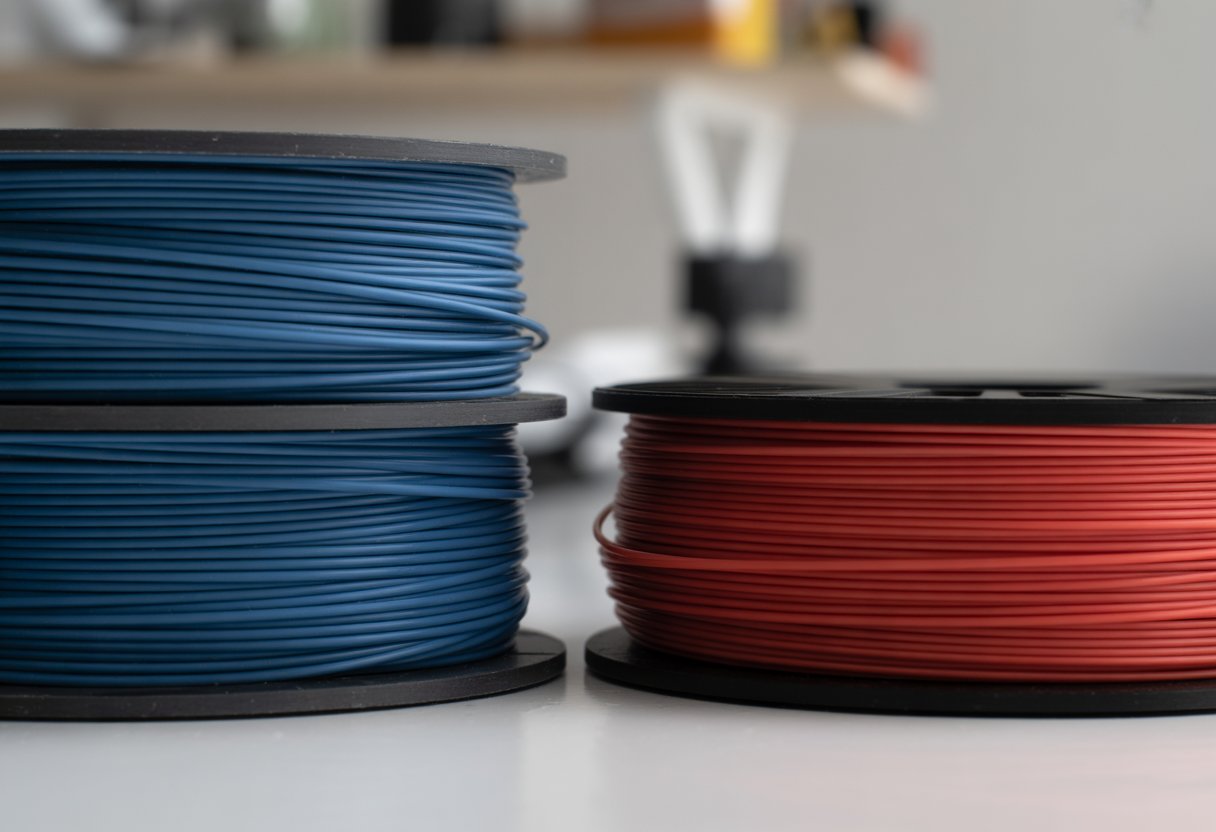
TPU and TPE filament are two popular flexible materials used in 3D printing. Both can bend and stretch, making them great for printing phone cases, grips, and belts. TPU is firmer and tougher, while TPE is softer and more stretchy. They both stick well between layers and handle impacts, water, and some chemicals.
Picking the right one depends on what you're making. TPU is better when you need something strong and long-lasting. TPE is best when you want something very flexible and soft. Each material has its own pros and cons for printing and using the final product.
Key Takeaways
- TPU is firmer and more durable while TPE is softer and more elastic
- TPU works best for tough projects and TPE is better for flexible items
- Both materials are flexible, waterproof, and good at handling impacts
Need a flexible material that holds its shape? Our guide on TPU vs TPE filament helps you understand which option gives you the durability you need. Check out our Flex TPU Filament for 3D Printing collection for blends in multiple hardness levels that work with most printers.
What Are TPU and TPE Filaments?

TPU and TPE are flexible 3D printing materials that let you create bendy, stretchy parts instead of rigid ones. TPU is a specific type of TPE, and both offer rubber-like qualities while still being printable like regular plastic.
Definition and Material Overview
TPE stands for Thermoplastic Elastomer. It's a material that combines rubber and plastic properties. You can heat it to print, and it acts bouncy and flexible when it cools down.
TPU means Thermoplastic Polyurethane. It's a type of TPE made from polyurethane. Think of TPE as a big family of flexible materials, and TPU is one member of that family.
Both materials give your 3D prints a soft feel. They bounce back after you squeeze them. You can bend them without breaking, and they resist water and UV light well.
The main difference from regular 3D printing plastics is their flexibility. Regular filaments like PLA snap when bent too much. TPU and TPE bend and stretch instead.
Types and Variations of Flexible Filaments
The flexible filament family includes types beyond TPU and TPE. TPC (Thermoplastic Copolyester) offers chemical resistance. TPA (Thermoplastic Polyamide) handles higher temperatures. TPE-S is a styrene-based version that's often softer.
These materials are measured by Shore A hardness. This scale shows how soft or hard the material is. Lower numbers like 60A mean softer and stretchier. Higher numbers like 95A mean firmer and more rigid.
TPU usually comes in harder Shore A ratings, between 85A and 95A. TPE filaments are often softer, from 60A to 85A. This affects how easy they are to print and what you can make with them.
How TPU and TPE Fit into 3D Printing Materials
When picking 3D printing materials, you usually start with rigid options like PLA or ABS. TPU and TPE are your elastic filament choices.
Use these flexible materials when your project needs to bend, compress, or absorb impact. They work well for phone cases, shoe insoles, gaskets, and seals. Rigid filaments would crack under that kind of stress.
TPU is easier to print than softer TPE. It feeds through your printer better and doesn't jam as often. TPE gives you more stretch but can be trickier to work with.
Both materials cost more than basic filaments and print slower because you need to use lower speeds to avoid jamming.
Looking for materials that bend instead of break? By reading our TPU vs TPE filament comparison, you'll know exactly which flexible option fits your project. Browse our full range of Flexible Filaments to find the perfect balance of stretch and strength.
Key Differences: TPU vs TPE Filament

TPU and TPE filaments have different properties for flexibility, recovery, and resistance to wear and chemicals. TPU is firmer and more resistant to damage, while TPE is softer and stretchier.
Flexibility and Hardness Range
TPU filament is usually firmer than TPE. On the Shore A scale, TPU ranges from 85A to 95A. TPE is softer, with values between 60A and 85A.
Lower numbers mean TPE feels more rubbery and bends easier. This makes TPE good for things that need to be very soft, like grips or cushions.
TPU's higher Shore hardness means it holds its shape better under pressure. If you need something that stays firm but still has some give, TPU is usually the better pick. The extra firmness also helps TPU resist permanent bending or warping.
Elasticity and Recovery
TPE has better elasticity than TPU. TPE can stretch more and snap back to its original shape faster. If you pull on a TPE part and let go, it returns to normal almost right away.
TPU has good elasticity too, but it's not as bouncy as TPE. TPU can handle more repeated bending and stretching without losing its shape over time. This is called fatigue resistance, and TPU does better here.
For parts that need to bend thousands of times, like living hinges or flexible joints, TPU works better. For things that need maximum stretch just once in a while, TPE might be your better choice.
Abrasion and Wear Resistance
TPU is better than TPE for abrasion resistance. TPU holds up better when things rub against it. If you're making parts that will scrape or drag on surfaces, TPU lasts much longer.
The tear strength of TPU is also higher. It takes more force to rip or tear a TPU part compared to a TPE part. This makes TPU more durable for items like phone cases, wheels, or protective covers.
TPE wears down faster because it's softer. The material can develop rough spots or tears more easily with heavy use. But for light-duty items that don't see much friction, TPE's lower tear resistance usually isn't a problem.
Chemical and Temperature Resistance
TPU handles chemicals better than TPE. You can expose TPU to oils, fuels, and many solvents without it breaking down. TPE doesn't resist these chemicals as well and can get damaged or dissolve.
Temperature resistance is another area where TPU wins. TPU keeps its properties in both hot and cold conditions. It works well in temperatures from -40°F up to 180°F or higher. TPE has a narrower temperature range and can get too soft in heat or too brittle in cold.
Both materials offer some weather and UV resistance, but neither is perfect for outdoor use. TPU holds up better to sunlight over time. Both materials are waterproof, so moisture won't damage them easily.
Ready to put your TPU or TPE knowledge into practice? Once you've decided between TPU vs TPE filament for your project, learn the technical details by reading our guide Mastering Flexible Filament Printing on Creality K1, K1C for perfect prints every time.
Printability and Handling in 3D Printing

TPU prints more easily than TPE because it's firmer and flows better through your printer. TPE requires more care and experience since it's softer and can bend or buckle during printing.
Print Speed and Extruder Compatibility
Print TPU at speeds between 20-40 mm/s for best results. TPE needs even slower speeds of 15-30 mm/s because it's more flexible and can jam easier.
A direct drive extruder works best for both materials. It pushes the filament straight into the hot end without a long path. This setup gives you better control and fewer problems.
Bowden extruders make flexible 3D printing harder. The long tube between the motor and hot end lets the filament bend and buckle. TPE has the most trouble with Bowden setups. TPU can sometimes work with these printers, but you'll still face more extrusion problems than with rigid filaments.
If you only have a Bowden printer, use harder TPU types. They're less likely to cause feeding issues.
Bed Adhesion and Warping
Both TPU and TPE stick well to your print bed.
You can print on glass, PEI sheets, or blue painter's tape. Most people find these materials give enough grip without needing glue. Some printers with textured beds work well too.
TPU and TPE don't warp much compared to other 3D printing materials. They stay flexible as they cool down, so you won't see corners lifting up like with ABS or other stiff plastics.
Make sure your bed is level and clean. Oils from your fingers can stop the filament from sticking properly.
Print Temperature and Cooling
TPU prints at temperatures between 210-230°C. TPE needs slightly lower heat, around 200-220°C. Check your filament brand since each one can be different.
Your print bed should be heated to 40-60°C for both materials. Some people print without bed heat, but warming it up helps with first layer adhesion.
Keep your cooling fan off or very low for the first few layers. After that, use 0-50% fan speed. Too much cooling makes the layers not stick together well. Flexible materials need time to bond properly.
TPE is more sensitive to cooling than TPU. Start with your fan off and only increase it if you see sagging or drooping.
Common Printing Challenges
Stringing and oozing happen with both materials. These flexible filaments can leak from the nozzle even when not printing. You can reduce this by using retraction settings between 3-6mm at 25-40 mm/s.
Under-extrusion is another problem. The filament can get squeezed too much by the extruder gears and not feed right. Lower your tension and make sure the path to the hot end is smooth.
Dimensional accuracy is tricky with soft materials. Your prints might come out slightly bigger than designed. TPU holds its size better than TPE.
Surface finish depends on your settings. Slower speeds and the right temperature give smoother results. TPE can show more texture and layer lines than TPU.
Print failures often come from the filament buckling before it reaches the hot end. Keep your print speed slow and watch the first few layers carefully.
Application-Based Comparison
Both TPU and TPE work well for different projects, but each one shines in specific uses. TPU handles tough jobs better because it's stronger and more durable, while TPE works great when you need something super soft and flexible.
Consumer Product Applications
You'll find TPU in many everyday items that need to be both flexible and tough. Phone cases are common because TPU can absorb drops and protect your device without cracking. The material also works well for athletic shoes and shoe soles since it handles repeated bending and impact.
TPE shows up in products where comfort matters most. You'll see it in grip handles, toys, and soft-touch items that feel good in your hand. It's cheaper to print than TPU, which makes it suitable for basic consumer goods that don't need extreme durability.
Both materials work for flexible hinges on small containers or cases. TPU lasts longer in these applications, but TPE costs less if you're making something simple.
Automotive and Industrial Uses
TPU is used in automotive parts because it stands up to wear and tear. You'll find it in vibration dampers, seals, and gaskets that need to handle heat and oil. The material's wear resistance means parts last longer, even in harsh conditions.
TPE can work for some flexible parts in cars, but it doesn't handle extreme temperatures as well. It's better for interior pieces like soft dashboard components or trim pieces that don't face tough conditions.
Industrial settings prefer TPU for conveyor belts, protective guards, and parts that face constant friction. The material keeps its shape better and doesn't break down as quickly as TPE.
Medical and Wearable Solutions
Medical devices often use TPU because it offers good biocompatibility and can be sterilized. You'll see it in tubing, catheters, and protective equipment. Tourniquets and other emergency medical tools use TPU because it needs to be reliable and strong.
Wearables like fitness bands and smartwatch straps work well with both materials. TPU provides better durability for items you wear every day. TPE offers more comfort for products that need to feel soft against your skin.
Both materials can be used for custom orthotics and support braces, but TPU handles the stress better over time.
Electronics and Other Specialized Uses
TPU works well for electronics cases and cable covers that need flexibility plus protection. You can make custom charging cable ends or earphone cases that bend without breaking.
Soft robotics projects need flexible materials that maintain their shape. TPU is the better choice here because it returns to its original form after bending. Soft-touch components on tools and devices can use either material, though TPU lasts longer.
Overmolding applications work with both TPU and TPE. This is when you print a soft material over a hard plastic core. TPE bonds easier to some plastics, but TPU creates a stronger final product.
Stabilizers and flexible stabilizer parts for drones or small vehicles perform better with TPU. The material handles vibration and impact without losing its properties.
Want maximum softness for your 3D prints? This TPU vs TPE filament guide shows you when TPE's extra elasticity makes the difference. Explore our TPE Filament collection for rubber-like prints with excellent stretch properties.
Material Properties and Performance Factors
TPU and TPE filaments differ in key ways that affect how they print and perform. These materials have different hardness levels, stretch capabilities, and storage needs that you should know about before choosing one.
Shore Hardness and Elongation at Break
Shore hardness tells you how soft or firm a material feels. Both TPU and TPE use the Shore A scale for measurement. TPU typically ranges from 85A to 95A, making it firmer and more rigid. TPE is usually softer, with ratings between 60A and 85A.
Elongation at break measures how far you can stretch a material before it snaps. TPU stretches about 300% to 600% of its original length. TPE can stretch even more, reaching 700% or higher in some cases. This makes TPE better for projects that need extra flexibility.
If you need a durable part that keeps its shape, go with TPU. For softer grips or cushioned parts, TPE works better.
Dimensional Stability and Fatigue
TPU holds its shape better over time and resists permanent deformation. When you bend or compress TPU repeatedly, it bounces back to its original form. This makes it great for parts that face constant stress or movement.
TPE is more prone to losing its shape after repeated use. It can develop permanent creases or lose elasticity faster than TPU. However, TPE still performs well for items that don't face heavy, repeated stress.
Temperature changes affect these materials differently. TPU maintains its properties across a wider temperature range. TPE can become too soft in heat or too stiff in cold conditions.
Moisture Absorption and Storage
TPU absorbs moisture from the air, which can cause printing problems. You'll see stringing, bubbling, or weak layers if your TPU filament gets damp. Store TPU in sealed containers with desiccant packs to keep it dry.
TPE absorbs less moisture than TPU, but you should still store it properly. Keep both filaments in airtight bags or bins when not in use. Dry your filament in a filament dryer or low-temperature oven before printing if it's been sitting out.
Check your filament before each print. If you hear popping or see steam during printing, your filament has absorbed too much water.
Comparing Cost, Availability, and Color Options
TPU costs between $25 and $45 per kilogram for most standard brands. You'll find TPU in lots of colors and from many manufacturers. It's the more common flexible filament, so most 3D printing stores stock it.
TPE typically costs $20 to $40 per kilogram. You'll find fewer brands and color options compared to TPU. Some specialty TPE formulas cost more than basic TPU.
Both materials are widely available online, but TPU is easier to find in local stores. Popular TPU brands include NinjaFlex, SainSmart, and Overture. TPE options are more limited but still accessible through major retailers.
Printer compatibility matters when choosing flexible materials. After learning about TPU vs TPE filament characteristics, find out which printers work best by checking out our article Do All 3D Printers Use the Same Filament? for compatibility insights.
Making the Right Choice: When to Use TPU or TPE?
TPU works best for projects that need strength and wear resistance, while TPE shines when you need maximum softness and stretch. Your choice depends on what your print needs to do and how much flex you want.
Matching Filament to Your Project Needs
Think about what your finished print will do. TPU handles stress better and lasts longer under repeated use. It's tougher and bounces back to its original shape faster. If your project gets squeezed, pulled, or rubbed a lot, TPU is your material.
TPE feels softer and stretches more than TPU. It's more like rubber and has a gentler touch. Pick TPE when you need something that feels nice to hold or needs lots of stretch. It works well for lightweight items that don't face heavy wear.
Check if your print will touch oils, fuels, or other chemicals. TPU resists these better than TPE. But if chemicals are a big concern, TPE actually handles a wider range of chemical exposure better.
Scenario-Based Recommendations
Choose TPU for:
- Phone cases and protective gear
- Shoe insoles and footwear parts
- Tool handles and grips
- Parts that bend repeatedly
- Items exposed to oils
Choose TPE for:
- Soft toys and flexible models
- Wearable items like bands
- Grip covers and cushions
- Projects where comfort matters most
- Lightweight prototypes
Print settings matter too. TPU prints easier because it's stiffer and feeds through your printer better. TPE can jam or tangle since it's so soft and flexible. If you're new to flexible filaments, start with TPU.
Pros and Cons Summary
|
Feature |
TPU |
TPE |
|
Strength |
Higher |
Lower |
|
Flexibility |
Good |
Excellent |
|
Print Ease |
Easier |
Harder |
|
Durability |
Better |
Good |
|
Softness |
Moderate |
Very soft |
|
Cost |
Moderate |
Usually less |
TPU gives you a good mix of toughness and flexibility. It lasts longer but costs a bit more and isn't as stretchy.
TPE feels softer and stretches further. It's often cheaper. But it can be harder to print and doesn't hold up as long under heavy use.
Need tough, weather-resistant prints? Our TPU vs TPE filament article explains why polyurethane-based materials last longer. Discover our Thermoplastic Polyurethane Filament selection for parts that handle daily stress and outdoor conditions.
Wrap Up
Choosing between TPU and TPE comes down to your project needs. TPU delivers superior durability and easier printing for functional parts that face daily wear. TPE offers maximum softness and stretch for comfortable, lightweight applications. Both materials expand what you can create beyond rigid plastics.
Ready to start printing with flexible filaments? Siraya Tech offers high-quality materials engineered for consistent results and smooth printing.
Whether you need tough TPU or stretchy TPE, explore our collection of flexible filaments designed to match your printer and deliver professional results every time.
Understanding the basics of thermoplastic polyurethane helps you make better printing decisions. After comparing TPU vs TPE filament properties, dive deeper by reading our article What Is TPU Filament: An Easy Guide For Smart 3D Printing to master this versatile material.
Frequently Asked Questions
What's the deal with printing flexibility, TPU or TPE – which one's better?
TPE is the winner when you want maximum flexibility. It's softer and stretchier than TPU. You can bend and compress TPE prints way more than TPU.
TPU gives you a good middle ground. It's still flexible but holds its shape better. Your prints won't be as stretchy, but they'll be more precise.
Think of it this way: TPE is like a rubber band, while TPU is like a phone case. Both bend, but one stretches way more than the other.
Can you give me the rundown on durability differences between TPU and TPE filaments?
TPU wins the durability contest. It can take more wear and tear over time. Your TPU prints will last longer if you're using them a lot.
TPE is softer, which means it can wear down faster. It's good for things you won't use heavily. But for items that get daily use, TPU is your better choice.
TPU also bounces back better after being bent or stretched. TPE might stay deformed if you bend it too much for too long.
Hey, what should I know about printing temperatures for TPU compared to TPE?
You can't use the same temperature settings for both filaments. TPE usually needs different temps than TPU to print right.
TPU typically prints between 220-250°C. Most TPU filaments work well around 230°C. Your heated bed should be around 40-60°C.
TPE often needs slightly different temperatures depending on how soft it is. Check your specific filament's guidelines because TPE varies more than TPU.
Any tips on how to nail the print settings for flexible filaments like TPU and TPE?
Print speed matters a lot with flexible filaments. You need to go slow, usually between 20-30mm/s. Going too fast will jam your printer.
A direct drive extruder works best for both materials. Bowden tube setups can cause problems, especially with soft TPE. The filament can bunch up and clog.
Turn off or reduce your cooling fan. These materials don't need much cooling. Too much airflow can hurt layer adhesion.
Keep your retraction settings low or turn them off completely. These flexible materials can get stuck if you retract too much.
Yo, can you tell me if TPU or TPE is more resistant to chemicals and weather?
TPU handles outdoor conditions better than TPE. It resists UV rays, oils, and many chemicals. Your TPU prints can sit outside without breaking down quickly.
TPE doesn't hold up as well to weather and chemicals. It can degrade faster when exposed to sunlight or harsh substances. Keep your TPE prints indoors for best results.
For phone cases, car parts, or anything facing the elements, go with TPU. For indoor items that need extra softness, TPE works fine.
Trying to figure out the cost-effectiveness - is TPU or TPE more bang for my buck?
Both filaments cost about the same per kilogram. Most brands charge similar amounts for TPU and TPE.
TPU gives you better value long-term because your prints last longer. You won't need to replace items as often, which saves you money over time.
TPE is harder to print, especially on basic printers. You might have more failed prints before getting it right, which can lead to more wasted filament if you're new to printing flexible materials.